Create a handoff packet from files
Sources, output, notes, and owner
After this, you'll be able to create a file handoff packet and use it to make Claude's work with local files safer and easier to verify.
Before you start
Complete Make the file work repeatable first.
The idea
A handoff packet lets another person see the source files, final output, decisions, and open questions. This lesson asks you to make a file handoff packet, not a broad promise that Claude can use files. The output should be specific enough that you can inspect what Claude read, what it produced, and what still needs review.
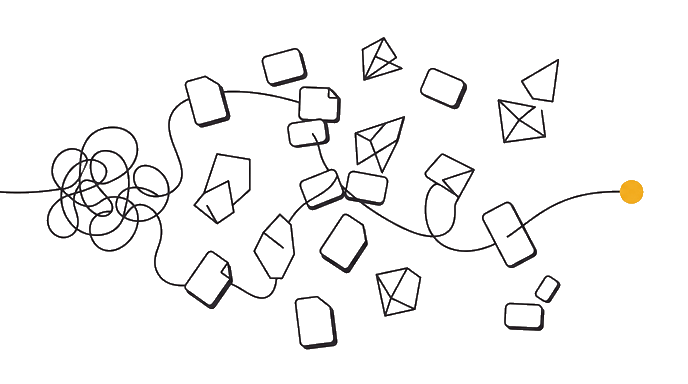
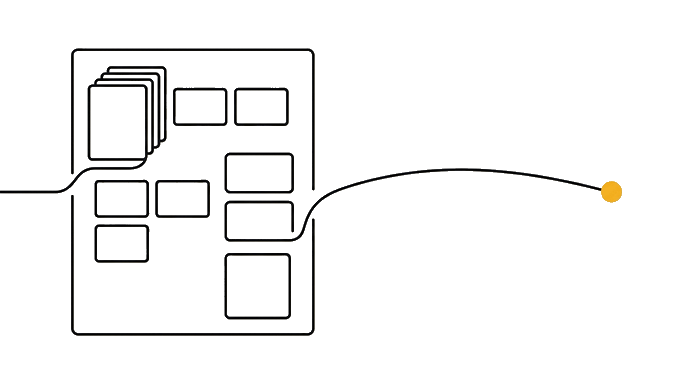
Here is the before and after: Before, the output travels without the source context that created it. After, the packet includes source list, final output, notes, decisions, open questions, owner, and update instructions. For example, a client folder might include notes, drafts, exports, and old versions. The lesson output should say which files are in scope, which are out, what Claude is making, and how you will prove the result came from the right source.
Now try it: Ask Claude to package one file-based output for another person. Make one choice before asking Claude to work: folder, file set, output shape, source check, access path, or maintenance rule. That choice keeps desktop file work from becoming vague local search.
- Messy inputThe raw desktop files material before the lesson shapes it.
- a file handoff packetThe thing you can inspect, edit, and reuse.
- Review checkThe source check that catches a weak assumption.
- Next stepThe output moves into the next lesson instead of sitting alone.
The lesson is done when you can show the source boundary, the output, and the check that proves the output is safe to use.
Try it (16 min)
Watch out for
- Sending only the final output.
- Leaving out excluded files.
- Skipping update instructions.
Paste this into Claude
Create a handoff packet from this file task. Include Final Output, Source Files Used, Files Excluded, Key Decisions, Open Questions, Owner, Update Instructions, and What To Check Before Reuse.

If any input is missing, ask me up to three questions before producing the artifact. Then return five sections: Finished Artifact, Realistic File Example, Assumptions To Check, What I Should Use In The Next Lesson, and One Risk If I Trust This Without Fixing It. Keep the answer practical enough that I can paste it into my folder workflow notes.
What a good response looks like
Finished Artifact:
- a file handoff packet
- Why it matters: it gives the folder workflow a concrete thing to inspect instead of a vague intention.
- Use it next: paste this artifact into the next lesson before asking Claude to write, build, import, publish, or review anything.

Reality Check:
- The artifact names the user, input, decision, owner, or proof it depends on.
- The weakest assumption is visible.
- The next step can be completed in one sitting.
What good looks like
- Source files and exclusions are included.
- Final output is linked or named.
- Open questions are visible.
- Owner and update instructions are included.
Go deeper (8 min)
Paste this into Claude
Without rereading the lesson, explain why a file handoff packet matters in three bullets. Then apply it to a second file example: [describe a different folder or document set]. Return What Changed, What Stayed The Same, What To Check Before Trusting The Output, and the exact next action.
What a good response looks like
Transfer Check:
- What changed: the second example has a different audience, input, or delivery context.
- What stayed the same: a file handoff packet still needs a source, a review check, and a next step.
- Before trusting it: inspect the source check that would catch a wrong assumption.
- Next action: run the check once, then carry the revised artifact into the next lesson.
What good looks like
- You explained the lesson idea from memory before applying it again.
- The second example changes the artifact instead of copying the first answer.
- The trust check names a real risk.
- The next action can be done in one sitting.
When this breaks
- Fails when sources are missing because the next owner cannot check the work.
- Breaks when open questions are hidden because the handoff looks more finished than it is.
AI can help with this
Paste the exercise prompt into Claude with your real folder or file context. Ask Claude to interview you one question at a time, produce a file handoff packet, challenge the weakest assumption, and rewrite the artifact once so it is ready for the next file step.
You can now
You can point to a file handoff packet.
- You can explain which files are in scope.
- You can name the assumption that still needs checking.
- You can use the output in the next lesson.
Key takeaways
File handoff protects the work after Claude finishes the first output.
- Handoff includes sources and output.
- Excluded files should be visible.
- Open questions prevent false certainty.
- Update instructions make reuse safer.