Computer Use: what it actually does
Claude acts on your screen, it does not just look at it
After this, you'll be able to explain that Computer Use executes real actions on your screen, distinguish it from Claude analyzing a screenshot, and understand why that distinction matters for trust.
Before you start
Complete Desktop settings: what every setting does and when to change it first; this lesson builds on having Cowork configured, because Computer Use runs inside the Cowork context you just set up.
The idea
Computer Use is Claude actually moving your mouse, typing in apps, and clicking buttons in real time, not a suggestion of where you should click. Many people assume it just reads a screenshot and advises you, but it does not. It moves the cursor, types the field, and presses the button while you watch.
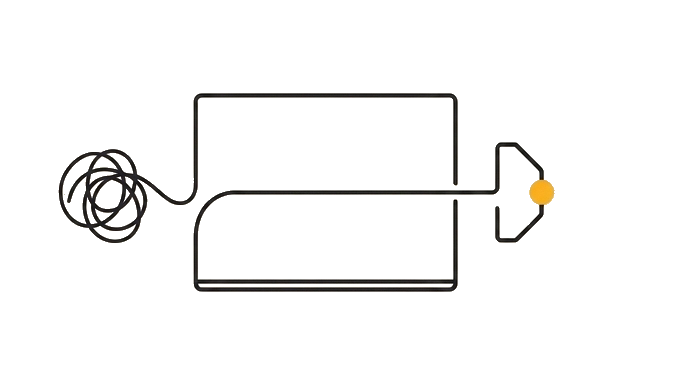
The access fact, because this trips people up: Computer Use is a research preview on the Pro and Max plans only, so its behavior can still change. A free plan will not show it, and Team and Enterprise plans do not have access to it either.
Because the actions are real, you stay in control: you see every step as it happens and can stop it at any moment. Trust matters precisely here, an incorrect click is a real click, not advice you can ignore.
Here is the before and after: Wrong model: "Claude tells me, step by step, where to click to export this file." Right model: "Claude moves my mouse to the File menu, clicks Export, chooses the format, and saves, while I watch." The first is advice, the second is action.
Now try it: do not run anything yet. In Cowork, ask Claude to describe exactly what it would do to export a document to PDF. Read its plan and notice every step is a physical action (move, click, type), not a tip for you to follow.
The difference between "tells you what to click" and "does the clicking" is the whole feature, and it is the part people get wrong.
Try it (9 min)
Watch out for
- Expecting Computer Use on any plan; it is a Pro and Max research preview, so free, Team, and Enterprise plans do not have it
- Believing Computer Use just analyzes screenshots and gives advice; it executes real clicks and keystrokes on your actual desktop
- Walking away while it runs the first time; stay and watch so you learn what it does before trusting it unattended
- Pointing it at a task with irreversible steps (sending, deleting, paying) before you trust it on safe tasks
- Assuming you cannot intervene; you can stop or take over at any moment
- Confusing 'Claude can see my screen' with 'Claude can act on my screen'; the second is the real capability
Paste this into Claude
I want to understand Computer Use correctly before I ever turn it on. I have heard it described as "Claude can see your screen" and I am not sure that is accurate.

Please answer in plain English:
1. When Computer Use runs, what physical actions does Claude actually take on my computer?
2. How is that different from Claude looking at a screenshot and suggesting where I should click?
3. Why does that difference matter for trust and safety? What can go wrong when Claude acts, that cannot go wrong when it only suggests?
4. How do I stay in control while it is running?

Keep each answer to 2-3 sentences. Be blunt, I want the accurate version, not the reassuring one.
What good looks like
- Claude states it physically moves the cursor, clicks, and types, not that it merely views or analyzes the screen
- The answer clearly separates executing actions from suggesting actions
- Claude explains that a wrong action is a real action with real consequences, which is why trust matters
- Claude tells you that you can watch every step and stop it at any time
When this breaks
- Breaks when you assume Computer Use is Claude pretending to see your screen, because you expect suggestions and instead get real actions, which destroys trust the moment a click surprises you.
- Breaks when you run an irreversible task before building trust, because a wrong action is a real action, so an early mistake on something you cannot undo feels like proof the feature is dangerous.
AI can help with this
In Cowork, type: 'Describe, action by action, exactly what you would do to export the document currently open on my screen as a PDF. Do not do it yet, just list every mouse move and click so I can see it is real action, not advice.'
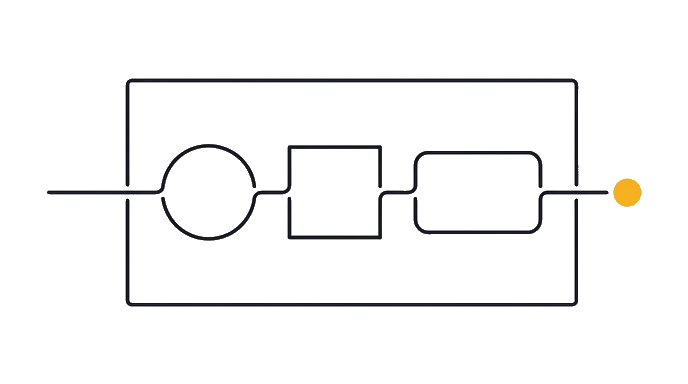
You can now
You can complete the lesson outcome in a real Claude chat, Project, Artifact, Connector, Desktop, or Code surface.
- You can verify that claude states it physically moves the cursor, clicks, and types, not that it merely views or analyzes the screen.
- You can verify that the answer clearly separates executing actions from suggesting actions.
- You can verify that claude explains that a wrong action is a real action with real consequences, which is why trust matters.
- You can verify that claude tells you that you can watch every step and stop it at any time.
Key takeaways
Computer Use does not look at your screen and advise you. It moves the mouse, types, and clicks for real, in real time, while you watch. That distinction is the entire feature and the source of every trust question.
- Understand Computer Use as live action: real cursor moves, real clicks, real typing, not screenshot analysis.
- Stay and watch the first runs so you see exactly what Claude does before trusting it unattended.
- Start on reversible tasks; a wrong action is a real action, so avoid irreversible steps early.
- Keep control: you can pause, stop, or take over at any point during a Computer Use session.