What Claude Code actually is: one tool, several surfaces
Not a coding mode you toggle, a developer tool with many doors
After this, you'll be able to explain that Claude Code is one agentic coding tool you reach through several surfaces, say that it requires Claude Code access and works on real code, and stop assuming Claude Code is a hidden mode you are missing out on.
Before you start
Complete Free vs Pro: which features require which plan first; this lesson builds on that plan-gating mental model to explain why every Claude Code surface sits behind a plan with Claude Code access.
The idea
"Claude Code" is not a mode inside claude.ai; it is one coding tool reached through several surfaces. That tool is Claude reading and changing a real software project on its own. Current official surfaces include the terminal, supported IDEs such as VS Code and JetBrains, the desktop Code tab, and mobile or remote-control surfaces where your plan exposes them.
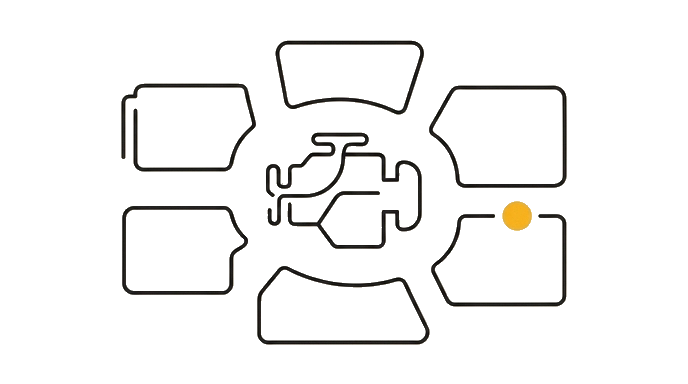
Most people read the name and assume it is Claude with a "code mode" switch. That is the single most common platform mix-up on this whole site. It is a separate product aimed at engineers, and the same tool appears through each supported surface.
Two words you'll meet. "VS Code" and "JetBrains" are code editors, the programs developers write software in. The add-ons let Claude Code live right inside those editors.
Here is the before and after: Before, you read "Claude Code is for engineers," felt locked out, and assumed you were missing a feature. After, you know it is one developer tool with several surfaces that require Claude Code access, not a secret mode you forgot to switch on.
Now try it: say the supported surfaces back in one breath: terminal, supported IDEs such as VS Code and JetBrains, the desktop Code tab, and mobile or remote-control surfaces where your plan exposes them. One tool, several surfaces.
One tool, several surfaces, requires Claude Code access, and knowing that is the whole lesson.
Try it (8 min)
Watch out for
- Assuming Claude Code is a single 'coding mode' you toggle on inside claude.ai. It is a separate developer tool you reach through several surfaces.
- Thinking the several surfaces are different products. They are surfaces for the same Claude Code tool.
- Expecting Claude Code on a free plan. There is no free Claude Code; it runs on a paid Claude subscription, and developers can also pay through a separate Anthropic account, so the exact billing varies.
- Feeling locked out because the name says 'Code.' You are not missing a feature; this is a tool for working on real code, and you mostly read its output.
- Jumping into the terminal because a tutorial mentioned it. That is one supported surface, and the wrong starting point for a non-developer.
Paste this into Claude
I keep seeing the words "Claude Code" and I'm not sure what it is. I am not a software developer. Can you do three things for me:

1. Explain what Claude Code actually is in plain English. I have heard it is one tool you can reach through several surfaces (the terminal, supported IDEs such as VS Code and JetBrains, the desktop Code tab, and mobile or remote-control surfaces where your plan exposes them) rather than a "mode" inside claude.ai.
2. Tell me who Claude Code is built for and whether it costs money (I believe it requires Claude Code access through your plan).
3. As someone who does not write code, tell me honestly whether I need to use it myself, or whether I mostly just need to recognize it and point developers to it.

Use plain English. Assume I have never written a line of code.
What good looks like
- Claude explains that Claude Code is one tool reached through several surfaces, not a mode toggled inside claude.ai
- Claude names the several surfaces: terminal, supported IDEs such as VS Code and JetBrains, the desktop Code tab, and mobile or remote-control surfaces where your plan exposes them
- Claude confirms Claude Code is a paid, developer-focused tool
- Claude tells you plainly that a non-developer mostly recognizes it rather than runs it, and never tells you to write code yourself
When this breaks
- Breaks when you treat 'Claude Code' as a mode inside claude.ai because it is actually a separate paid tool, so you go looking for a switch that does not exist.
- Breaks when you count the several surfaces as separate products because they share one Claude Code tool, so advice for one surface often applies to the others too.
AI can help with this
Open claude.ai and paste this: 'Explain what Claude Code actually is in plain English, name the several surfaces it runs on, confirm it requires Claude Code access through your plan, and tell me whether a non-developer needs to use it. I have never written code.'
You can now
You can complete the lesson outcome in a real Claude chat, Project, Artifact, Connector, Desktop, or Code surface.
- You can verify that claude explains that Claude Code is one tool reached through several surfaces, not a mode toggled inside claude.ai.
- You can verify that claude names the several surfaces: terminal, supported IDEs such as VS Code and JetBrains, the desktop Code tab, and mobile or remote-control surfaces where your plan exposes them.
- You can verify that claude confirms Claude Code is a paid, developer-focused tool.
- You can verify that claude tells you plainly that a non-developer mostly recognizes it rather than runs it, and never tells you to write code yourself.
Key takeaways
Claude Code is not a mode you toggle. It is one developer-grade tool reached through several surfaces (terminal, supported IDEs such as VS Code and JetBrains, the desktop Code tab, and mobile or remote-control surfaces where your plan exposes them), and a non-developer mostly recognizes it rather than runs it.
- Treat 'Claude Code' as one tool reached through several surfaces, not a coding mode inside claude.ai.
- Name the supported surfaces: terminal, supported IDEs such as VS Code and JetBrains, the desktop Code tab, and mobile or remote-control surfaces where your plan exposes them.
- Remember every surface requires Claude Code access, so there is no free Claude Code to hunt for.
- Stop reading the word 'Code' as proof you are locked out; as a non-developer you read its output and point developers to it.