Claude Skills: what they are and how to use them
A reusable instruction packet Claude loads on its own when a task fits
After this, you'll be able to explain what a Skill is, ask Claude to build one for a recurring task, and decide when a Skill saves you more time than re-explaining the format yourself.
Before you start
Complete Building your first real Project first; this lesson builds on the Project you already set up, because Skills are most useful when they run inside a Project that already gives Claude your standing context.
The idea
A Skill is a folder of instructions Claude loads on its own when your task matches it. It is not a saved prompt, and there is no button to press. Claude recognizes the kind of work and pulls in the right Skill automatically.
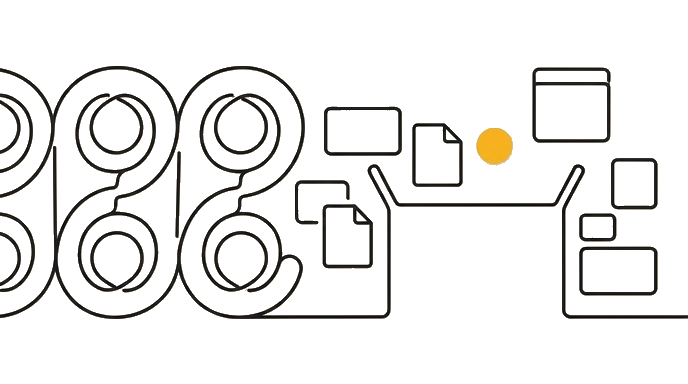
Think of a Skill as a packet you hand Claude once: "whenever someone asks for a Monday standup, here is the exact format, sections, tone, and length." From then on you ask for your standup in plain words, and Claude applies that packet without you naming it.
Here is the before and after: Without a Skill, every Monday you retype a 200-word prompt describing your format, then paste your notes. With a Skill, you say "turn these notes into my Monday standup," Claude notices the match, and the output is consistent every week because the format never drifts.
Now try it you create a Skill by asking Claude to build one, not by editing files yourself. Pick one task you do at least weekly, then ask Claude's skill-creator to capture how you want it done.
Describe the work in plain words and the right format applies itself, instead of you re-explaining it every time.
Try it (12 min)
Watch out for
- Building a Skill for a task you do once a quarter; the setup time only pays off for work that actually recurs
- Baking one-off details (this month's dates, this client's name) into the Skill instead of leaving placeholders, so it silently produces stale output later
- Assuming a Skill remembers the last conversation; it carries its instructions, not your chat history, so it applies the same format fresh each time
- Expecting a teammate's personal Skill to be on your account automatically; a Skill is only shared across everyone when an organization owner deploys it org-wide on a Team or Enterprise plan
- Treating a Skill as locked; if your format changes, ask Claude to update the Skill rather than working around stale instructions
Paste this into Claude
I do this task in Claude almost every week and I want to capture it as a Skill so you apply it automatically whenever I ask for this kind of work. Use your skill-creator to build it with me.

TASK: [describe the recurring task in one sentence, e.g. "turn my messy meeting notes into a clean shareable summary"]

HOW I WANT IT DONE EVERY TIME: [describe the format, sections, tone, and length you want, the way you would explain it to a new assistant]

EXAMPLE INPUT: [paste a real example of the raw text you feed it]

Please:
1. Ask me any questions you need to capture this task into a Skill, then describe the Skill you'll create (its name and what it contains) in plain English
2. Tell me, in one sentence, what I will say in the future to make you apply this Skill, and confirm I will NOT have to select it from a list
3. Show me the instructions the Skill will hold, with any one-off details (this month's dates, a specific name) left as clear placeholders so it never goes stale
4. Apply those instructions once to my example input so I can see the output this Skill will produce
What good looks like
- Claude described the Skill it will build (a named instruction packet), not a prompt for you to copy and paste back yourself
- Claude confirmed the Skill applies automatically when your task matches, with no button to press or list to pick from
- Claude left one-off details as placeholders so the Skill never produces stale output
- Claude applied the instructions to your example and the output matches what you wanted
- You can explain, in one sentence, why a Skill Claude invokes on its own beats retyping the format every time
When this breaks
- Breaks when the Skill's instructions assume a fixed input shape because the day your pasted text looks different (extra section, missing field), Claude still applies the old steps and the output is wrong.
- Degrades when you build too many near-identical Skills because Claude can apply the wrong one to a task, and the format you expected quietly does not show up.
AI can help with this
Paste this: 'I do this task almost every week and want it captured as a Skill so you apply it automatically. Use your skill-creator. TASK: [one sentence]. HOW I WANT IT DONE: [format, sections, tone, length]. EXAMPLE INPUT: [paste a real sample]. Leave one-off details as placeholders, then apply it once to my example.'
You can now
You can complete the lesson outcome in a real Claude chat, Project, Artifact, Connector, Desktop, or Code surface.
- You can verify that claude described the Skill it will build (a named instruction packet), not a prompt for you to copy and paste back yourself.
- You can verify that claude confirmed the Skill applies automatically when your task matches, with no button to press or list to pick from.
- You can verify that claude left one-off details as placeholders so the Skill never produces stale output.
- You can verify that claude applied the instructions to your example and the output matches what you wanted.
Key takeaways
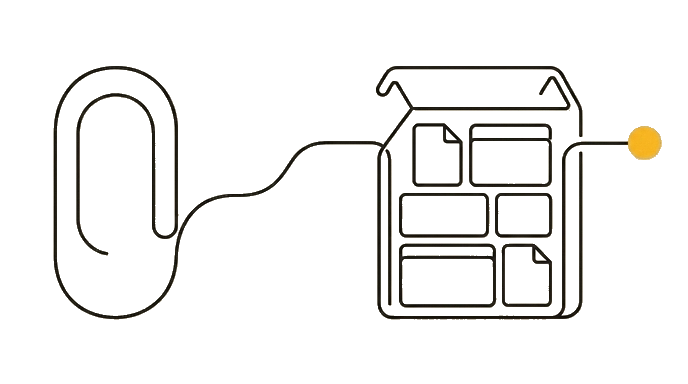
A Skill is an instruction packet Claude loads automatically when a task matches it, so you describe the work in plain words and the right format applies itself instead of you re-explaining it every time.
- Capture the format you re-explain most often as a Skill, so Claude applies it automatically instead of you retyping it.
- Use placeholders for anything that changes between uses so the Skill never produces stale output.
- Build a Skill only when the task actually recurs; one-off work is not worth the setup.
- Ask Claude to update the Skill when your format changes instead of working around stale instructions.
Go deeper