Part of the Level 0 core path · Lesson 5 of 5
Ask Claude to Remember Things
After this, you'll be able to ask Claude to remember specific things so you don't have to repeat yourself each session.
Before you start
You'll want a working sense of Tell Claude Who You Are before this lesson, since memory builds directly on the profile you set up there.
The idea
Your profile tells Claude who you are. Memory tells Claude what you are currently doing. These are two different things, and both matter.
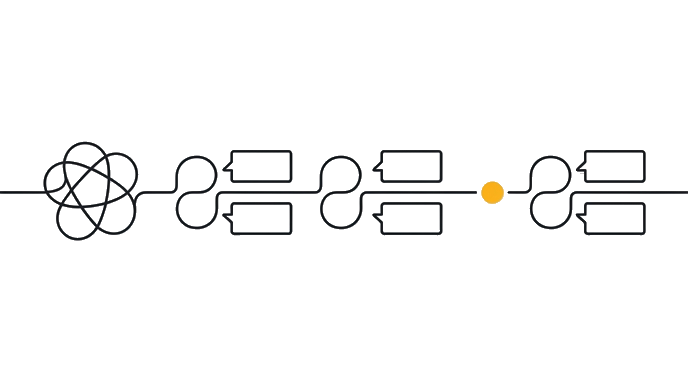
- ContextStart with the task, constraints, and current state.
- Ask Claude to Remember ThingsApply the lesson move to the work.
- ProofKeep the result only when the check passes.
Memory is for specific, ongoing facts that would be annoying to re-type every session. Things like: a project name and its goal, a decision you made that future conversations should respect, a client's preferences you always need to keep in mind, or a personal rule you want Claude to follow. You tell Claude to remember something once, and it shows up in future conversations automatically.
Here is the before and after: A freelance writer set three memories: 'I am working on a book about sustainable agriculture, audience is general readers not experts.' 'My working title is The Dirt Under Our Feet.' 'I prefer prose suggestions over bullet-point outlines.' Those three memories meant every writing session started with Claude already oriented to her project, her audience, and her style preferences. She never re-explained any of it again.
The key difference from your profile is that memory is for things that change. A project ends, a client changes, a decision gets reversed. You can view, edit, and delete memories at any time in Claude's settings. Think of it as a sticky note pinned to the top of every conversation. Your profile is the permanent file. Memory is the current sticky note.
Try it (10 min)
Watch out for
- Claude memory requires enabling first. Go to Settings, then Memory in Claude and turn it on before trying this exercise. Nothing will be saved until you do.
- Trying to use memory in ChatGPT without confirming your plan supports it. Memory features vary by plan. Claude's free tier includes memory. Check your ChatGPT account settings to confirm availability.
- Expecting Claude to remember things you did not explicitly tell it to save. Only things you asked it to remember will be there.
- Forgetting that memory can contain outdated information. Check it occasionally in settings and delete entries that are no longer true.
Paste this into Claude
Remember this for future conversations: [something specific you want Claude to know: a decision you made, a project name and goal, a preference you have]. Next time we talk, use this without me repeating it.
What a good response looks like
Got it. I've saved the following to memory:

'You are working on a book about sustainable agriculture titled The Dirt Under Our Feet. The target audience is general readers with no farming background. You prefer prose suggestions over bullet-point outlines.'

From now on, when you start a new conversation and ask for writing help, I'll already know the project name, the audience you're writing for, and your preferred format. You won't need to re-explain any of this. To confirm it saved, open a new conversation and ask: 'What do you know about what I'm working on?' I should be able to describe the book and the audience without you mentioning it. If I can't, check that memory is enabled in your Claude settings under the Privacy tab.
What good looks like
- You asked Claude to remember at least one specific ongoing fact from your work
- You started a new conversation and Claude referenced it correctly without you mentioning it
- You found your saved memories by clicking your initials in Claude, then choosing 'Memory' from the settings menu
- You can describe in one sentence the difference between what belongs in your profile and what belongs in memory
- You checked that memory is enabled in your settings before expecting it to work
Go deeper (12 min)
Paste this into Claude
I want to use memory to reduce repetition across sessions. Help me identify the top three things I currently re-explain at the start of every AI conversation. Based on this description of my work: [describe what you do and what you typically ask AI to help with], tell me: (1) what would be most valuable to save as memory, (2) what belongs in my profile instead, and (3) what changes too often to save anywhere and should just be included in each chat. Then write the exact 'remember this' phrases I should use to save each memory item.
What a good response looks like
Based on your description (freelance HR consultant, mostly writing job descriptions, offer letters, and coaching notes for small business clients), here is how I'd sort your information:

Save as memory (stable for months): 'I work with small business owners, typically 5-20 person companies, who need HR documents written in plain, approachable language. Avoid legal jargon unless I ask for it.'

Belongs in your profile (permanent facts about you): Your role as an HR consultant, your preference for direct language, your request to skip long preambles.

Leave for each chat (changes per client): Client name, specific company size, the role being hired for, any unusual requirements.

Here are the exact phrases to use:
- 'Remember this: my clients are small businesses with 5-20 employees.'
- 'Remember this: always write HR documents in plain language, no legal jargon unless I ask.'

Paste each one separately into Claude. It will confirm each save.
What good looks like
- You identified at least two things you currently re-type that could be saved as memory
- You saved at least one memory using the phrase Claude suggested
- You can distinguish what belongs in your profile versus in memory versus in the chat
- In a follow-up conversation, Claude used at least one saved memory correctly without prompting
When this breaks
- Breaks when memory accumulates stale facts about projects that ended or clients you no longer work with, because Claude treats them as current and applies them to new work. Memory is only useful if you prune it.
- Breaks when you confuse memory with profile and stuff project specifics into the profile or stable preferences into memory. The two have different lifespans, and mixing them means both stop working as designed.
AI can help with this
You do not need to format this specially. Just tell Claude: 'Remember that I am working on [X] and my goal is [Y].' Claude handles the saving. You handle the telling. That is the whole thing.
You can now
Save at least one memory in Claude that survives a fresh conversation, and explain in one sentence the difference between something that belongs in memory versus something that belongs in your profile.
Key takeaways
Your profile is who you are. Memory is what you are working on right now. Together, they mean Claude already knows the basics before you type a word.
- Profile is who you are. Memory is what you are working on right now. Different lifespans, different uses.
- Memory is for ongoing project facts, decisions, and preferences that would be annoying to re-type every session.
- Memory must be enabled in settings before it works. Check that first if Claude is not remembering things.
- Prune memory regularly. Stale entries from old projects keep getting applied to new work.
- Anything that changes per chat (client names, specific numbers, today's task) belongs in the chat, not in memory.