Part of the Level 2 core path · Lesson 7 of 7
Edit Without Rewriting
After this, you'll be able to ask Claude for surgical changes to an uploaded document, so you get the specific edit you need without Claude rewriting everything else.
Before you start
Complete Know What Claude Sees in Your File first; this lesson builds on understanding what Claude extracts from your file so you scope edits to content it can actually read.
The idea
You have a contract template that took your lawyer six months to get right. You need to update the client name, the start date, and the payment amount. What you do not want is Claude rewriting the indemnification clause, restructuring the payment section, or 'improving' the language it thinks is awkward. You want three specific changes and nothing else touched.
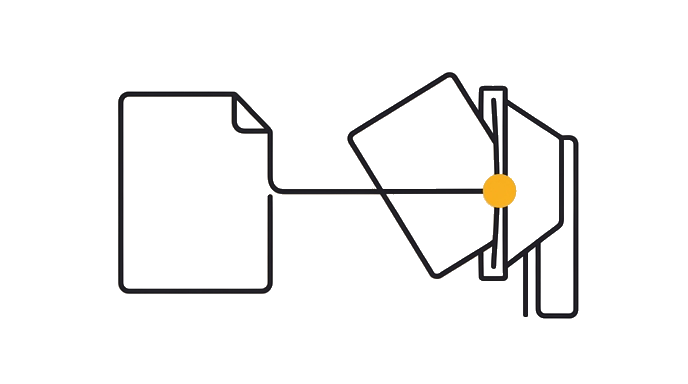
- ContextStart with the task, constraints, and current state.
- Edit Without RewritingApply the lesson move to the work.
- ProofKeep the result only when the check passes.
Here is the before and after: If you say 'update this contract for my new client,' Claude will often make more changes than you asked for. It is trying to be helpful. The fix is being explicit about scope: tell it exactly what to change and explicitly tell it to leave everything else alone.
The pattern that works: paste the document, list each specific change with the exact old text and the new replacement, and end with 'do not change any other language.' For template documents you use repeatedly, this turns a 20-minute manual find-and-replace job into a 90-second task, while preserving the carefully negotiated language your lawyer wrote.
The same principle applies to any document: a job description, a policy, a proposal. Surgical prompts protect the parts that are already right.
Try it (14 min)
Watch out for
- Saying 'update this for my new client' without specifying what to change. Claude will make more changes than you want. Always list the specific fields.
- Forgetting that a name or date often appears multiple times in a document. Ask Claude to confirm how many places it made each change.
- Assuming Claude preserved sections it did not mention. Ask it to confirm explicitly: 'List every change you made and confirm that everything else is unchanged.'
- Using this approach on documents with tracked changes or comments. Those formatting layers do not survive plain-text processing. Accept or reject all tracked changes before uploading.
- Skipping the downstream-inconsistency check. Changing a start date often makes other date references inconsistent. Always ask Claude to flag those, even if you do not want it to fix them automatically.
Paste this into Claude
I am uploading [describe the document: e.g. 'a service agreement template', 'a job description', 'a project proposal']. I need to make the following specific changes and only these changes:

1. Change [exact old text or field] to [exact new text]
2. Change [exact old text or field] to [exact new text]
3. Change [exact old text or field] to [exact new text]

Do not change any other language, structure, or formatting. Return the full document with only these three changes applied. If any of my requested changes would affect other parts of the document (for example, if changing a date in one place means another date reference is now inconsistent), flag those instances but do not change them without asking me first.
What a good response looks like
Here is your service agreement with the three changes applied and nothing else altered:

[Full document returned with changes]

Changes made:
1. 'Acme Corporation' replaced with 'Riverside Consulting Group' (appeared 4 times: cover page, recitals, signature block, and Exhibit A header)
2. 'January 1, 2025' replaced with 'May 1, 2025' in Section 2 (Effective Date)
3. '$4,500 per month' replaced with '$5,200 per month' in Section 4.1

One inconsistency flagged, not changed: Section 7.3 references 'the rates effective as of the January 2025 engagement.' With the new start date of May 2025, this sentence may need updating too. I did not change it because you did not include it in your list. Let me know if you want me to update that reference as well.

All other language, including the indemnification, limitation of liability, and dispute resolution sections, is unchanged from your original.
What good looks like
- You listed each change as a specific old-text to new-text replacement, not a general instruction
- Claude returned the document with only the changes you specified
- No other language was altered, rewritten, or 'improved' beyond your list
- If Claude flagged a downstream inconsistency, you reviewed it and decided what to do rather than having Claude decide
- The edited document is ready to use without you needing to re-read the whole thing to check for unwanted changes
When this breaks
- Breaks when the prompt is general (a 'fix this for the new client' style ask), because the model interprets vagueness as license to improve other language and the negotiated wording you wanted protected disappears.
- Breaks when the document carries tracked changes or comments, because those formatting layers do not survive plain-text round-tripping and the surgical edit inherits a corrupted version of the source.
AI can help with this
After any document edit, ask Claude: 'List every change you made to this document. Confirm that no other language was altered.' That one follow-up protects you from the helpful rewrites you did not ask for.
You can now
Apply three explicit old-text-to-new-text replacements to a real document, confirm via a follow-up that no other language changed, and review every flagged downstream inconsistency before deciding what to do with it.
Key takeaways
List the exact changes you want. End with 'do not change anything else.' Claude will respect that instruction. You protect what your lawyer wrote.
- List each change as exact old text to exact new text, not a general instruction
- End the prompt with 'do not change anything else' to lock the rest of the document
- Ask Claude to confirm every change it made and flag downstream inconsistencies for your review
- Strip tracked changes and comments before uploading; those layers do not survive plain-text editing