Deep dive · Jump here anytime when you want more on this idea
How MCP Servers Work
Tools your AI can actually call
After this, you'll be able to explain why MCP is different from prompting, identify the minimum permissions a tool needs, and sketch a tool schema you would actually trust to run on your systems.
Before you start
Complete Compounding Engineering Patterns first; this lesson builds on the codification loop you established there by giving your agent real tools to act on your systems.
The idea
Levels 4 and 5 solve for context. Level 7 solves for capability. MCP (Model Context Protocol) is how you give your agent hands. Instead of thinking about your database or CI pipeline, it can write to them, run them, and read the results. You define what a tool does and what inputs it takes. The model decides when to call it.
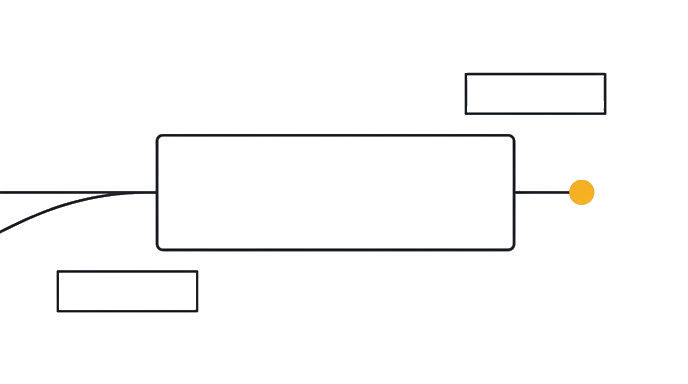
- ContextStart with the task, constraints, and current state.
- How MCP Servers WorkApply the lesson move to the work.
- ProofKeep the result only when the check passes.
A custom skill packages a repeatable workflow into a named, invocable behavior. A PR review skill that runs linting and pattern checks. A deploy skill that validates the build before pushing. A test generation skill that knows your codebase's conventions. These are not prompts you type each time. They are capabilities the agent can use on its own when the task calls for them.
Least-privilege applies to AI tools as much as any system. An MCP server that can write files, execute commands, and call external APIs has a large blast radius if something goes wrong. Define the minimum permissions each tool needs and be explicit about what it cannot do. Treat MCP tool responses the same way you treat user input. A retrieved document can contain instructions the model may follow.
Here is the before and after: a developer built an MCP server with read-write access to the entire src/ directory plus shell execution. One malformed API response later, the agent deleted 12 files it confused with a temp directory. A read-only tool scoped to src/data/ and a separate write tool scoped to src/data/output/ would have limited the blast radius to two directories. Scoping took 10 minutes. Recovery took 3 hours.
The ceiling at Level 7 is that the agent can act on your systems but still cannot verify whether what it did was correct. That self-correction loop is what Level 8 builds.
Try it (5 min)
Watch out for
- Wiring a 'do-everything' MCP server with shell access plus broad filesystem write before you have run one real task with it
- Treating tool descriptions as documentation for humans. The model uses them to decide when to call. Vague descriptions produce a guessing agent.
- Pasting MCP tool responses straight into context. A retrieved document can carry injected instructions that hijack the session.
- Skipping the cost question. A validation MCP call costs far less than a full implementation call. Know which is which before you build.
Paste this into Claude
I want to design a least-privilege MCP tool for one step I do manually after every agent session (e.g. running tests, checking lint, querying a dev database). Here's the step: [describe the manual step in one sentence]. Help me sketch the tool schema. For each piece, give me a concrete answer: (1) the tool name as a verb phrase, (2) the inputs and their types, (3) what it returns, (4) the minimum filesystem and shell permissions it actually needs, (5) what it must NOT be able to do, and (6) one realistic way it could go wrong if I scoped permissions too broadly. Then write the schema as a single JSON block I can adapt.
What good looks like
- The tool name is a verb phrase that names the action, not the system it touches
- The permission list is the minimum needed to complete the step, with at least one explicit denial
- You can describe the blast radius in one sentence (which directories, which writes, which external calls)
- You named at least one realistic failure mode that broader permissions would have amplified
When this breaks
- Breaks when scoping is too permissive because the agent's blast radius equals the broadest tool surface, and one malformed response can corrupt anything that surface touches
- Breaks when tool descriptions describe what the tool is instead of when to call it because the model has no trigger condition to disambiguate similar tools, so it guesses
- Breaks when MCP responses are trusted by default because external content is untrusted input and any retrieved document can carry instructions the model will follow
AI can help with this
Use AI to apply this lesson to your current work. Share your situation, ask for one concrete next step, and check the answer against this test: Identify the minimum permissions a single MCP tool needs to complete one manual step in your workflow, and name at least one failure mode that broader permissions would have amplified.
You can now
Identify the minimum permissions a single MCP tool needs to complete one manual step in your workflow, and name at least one failure mode that broader permissions would have amplified.
Key takeaways
MCP gives the agent real hands on your systems. The work at Level 7 is not 'connect more tools.' It is scoping each tool to the smallest permission that lets the job get done.
- MCP gives your agent real access to your systems. It acts on them, not just thinks about them
- A custom skill is a repeatable workflow packaged as a named capability the agent invokes itself
- Least-privilege: define minimum permissions per tool and treat tool responses as untrusted input
- Token costs matter here. A validation MCP call costs far less than a full implementation call. Track cost-per-session.