The SOP prompt structure: four inputs
The four inputs Claude needs before writing a procedure your team will follow
After this, you'll be able to build an SOP prompt from four inputs (context, the specifics, output format, and a concrete example) that produces a procedure tailored to how your team actually works.
Before you start
Complete Your first SOP in 10 minutes first; this lesson builds on having a first draft you can improve with the four-input structure.
The idea
Claude writes a far better SOP when you give it four inputs instead of one. Those four inputs are context, the specifics, the output format, and one concrete example from your own files. Most first-time users give Claude one input and get back a procedure that could apply to any company.
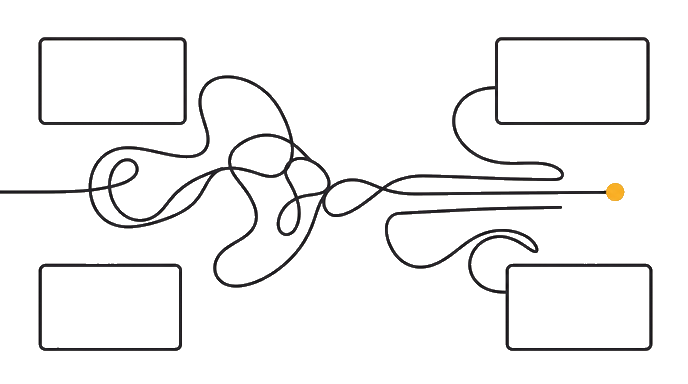
Here is the before and after: A one-input prompt ("write an SOP for handling customer complaints") produces a 6-step procedure that could apply to anyone. A four-input prompt names the company and who runs the process, the exact tools and what "done" looks like, the format you want, and one real example from your files. The result matches how the team actually works, with little to no editing.
Now try it: Pick a real process and give Claude all four inputs in one prompt, the context, the specifics, the format you want, and one example from your files. The exercise below gives you a fill-in-the-blanks scaffold.
The gap between a generic SOP and one your team follows is almost always a missing input, not a missing skill.
Try it (15 min)
Watch out for
- Describing tools generically ('a project management tool') instead of by name: specific tool names change how Claude writes the step, including the exact field or action to look for.
- Defining success as a feeling rather than a behavior ('client feels welcomed') instead of a specific action or state ('client has completed the onboarding form and received access credentials').
- Skipping the concrete example because you think it is too much effort. The example carries more weight than the other three inputs; it shows Claude the target format in a way words cannot.
- Using the four-input structure once and not saving it as a reusable template. This structure works for every ops process you will ever document.
Paste this into Claude
Write an SOP for [choose a process from your work]. I am going to give you the four inputs you need to make this specific and actionable:

CONTEXT: [Who you are and who executes this process. E.g., "You are helping the operations manager of a 15-person digital agency that works with consumer brands. The person executing this is our account manager, who handles 15-20 active clients at any given time."]

THE SPECIFICS:
- Tools they use, by name: [e.g., "HubSpot for managing customer relationships, Slack for internal chat, Google Docs for deliverables, and Stripe for billing"]
- What success looks like: [the specific observable outcome, e.g., "the client has received their onboarding email, been added to the project in Asana, and has a scheduled kickoff call within 5 business days"]
- Where it breaks down: [the 2-3 most common failure points, e.g., "the billing setup step often gets skipped until week 3, and the kickoff call often gets scheduled without the right stakeholders invited"]

OUTPUT FORMAT: Please format the SOP as numbered steps with titles, a decision branch for each failure point I listed, and a success check at the end.

CONCRETE EXAMPLE: Here is an example of the format and tone we use for our documentation:
[paste a real example from your work, even if it is rough or incomplete]
What good looks like
- The SOP names the specific tools from your input in the relevant steps
- The success criteria section matches the definition you provided
- Each failure point appears as a decision branch or warning in the relevant step
- The format and tone match the concrete example you pasted
- You could not have gotten this output from a one-line prompt
Go deeper (10 min)
Paste this into Claude
I have an existing ops prompt I use regularly that produces mediocre output. I want to upgrade it using the four-input structure.

Here is the prompt I currently use:
[Paste your current prompt, even if it is just one or two sentences]

Here is what I am trying to produce:
[Describe the document or output, e.g., "a weekly status update email for our leadership team" or "an SOP for a new process we added last month"]

Please:
1. Identify which of the four inputs my current prompt is missing: context (who you are and who executes it), the specifics (tools, what success looks like, where it breaks down), output format, and a concrete example
2. Write an upgraded version of the prompt that adds all four inputs, using [BRACKETS] for everything I will need to fill in each time
3. Note which missing input was causing the most degradation in my output quality
What good looks like
- The upgraded prompt contains all four inputs, each labeled clearly
- Every variable input has its own [BRACKET] placeholder
- The diagnosed cause of poor output matches the actual friction you experience with the current prompt
- You can copy the upgraded prompt directly into a Claude conversation without further editing
When this breaks
- Breaks when your description is thin (a sentence or two), because Claude guesses at the gaps and the guesses fit any company, not yours. The more you give it, the more it gives back.
- Produces output that sounds plausible but does not match your team when you skip the concrete example, because Claude inherits the format and tone of its training data rather than your actual documentation style.
AI can help with this
Use Claude, ChatGPT, Gemini, Microsoft Copilot, Codex, Notion AI, or another approved work AI based on the system your team actually uses. Paste the lesson prompt with one real process or workflow, require the assistant to separate facts from assumptions, then verify the owner, exception path, and human review point before you use the output.
You can now
You can complete the lesson outcome against a real operations process, source, or recurring workflow.
- You can verify that the SOP names the specific tools from your input in the relevant steps.
- You can verify that the success criteria section matches the definition you provided.
- You can verify that each failure point appears as a decision branch or warning in the relevant step.
- You can verify that the format and tone match the concrete example you pasted.
Key takeaways
The quality of an SOP is set almost entirely by the specificity of your inputs. Four answers, given before Claude writes, are enough to produce a procedure worth following.
- Generic prompts produce generic SOPs. The four-input structure forces the specificity that matches your actual operation.
- Tool names matter. 'A project management tool' and a specific one like 'Asana' produce different steps in the same SOP.
- Success must be defined as an observable action or state, not a feeling or intention.
- A concrete example carries more weight than the other three inputs; it shows Claude the target in a way descriptions cannot.
- Save the four-input structure as your default SOP template. Apply it to every recurring documentation task.
Go deeper