Your Update Pipeline: Adding New Work Without Starting Over
After this, you'll have a defined asset package (the exact materials you collect for every new project) and a reusable Claude prompt that slots new work into your existing portfolio without breaking what's already there.
Before you start
Complete Launching to a Custom Domain first. Your portfolio is live. This lesson teaches you to keep it current.
The idea
The creatives who keep getting found build an asset checklist and a reusable add-project prompt, turning a new-work update from a 45-minute ordeal into a 15-minute task. Your portfolio is not finished when it goes live. It is a system you feed, ideally once or twice a month as new work comes in. The creatives who keep getting found are the ones who update consistently. The ones who fall off the map built their portfolio and never touched it again.
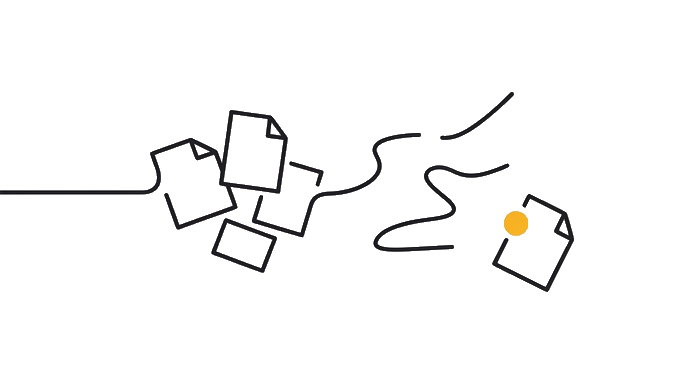
Here is the before and after: Without an update system, adding a new project means opening your HTML file, trying to remember where the project grid starts, making an edit that breaks the layout, spending an hour fixing it, and deciding you'll deal with it next week. With an asset checklist and a reusable prompt, adding a project means gathering your materials in ten minutes, running one prompt, and dropping the updated file to Netlify. New project live in under fifteen minutes.
Now try it: use the exercise below to build two things: your personal asset checklist and a reusable add-project prompt. The checklist is what you gather before you sit down. The prompt is what you paste into Claude when you are ready to update. Build these now while your portfolio is fresh. You will use them on project six, seven, and every one after that.
Try it (8 min)
Watch out for
- Saving the checklist only in the Claude chat window. Export it: paste it into a note, a doc, a Notion page, somewhere you will find it in three months.
- Making the checklist too long. If it takes longer to fill out than to run the update, you will not use it. Five to eight items is the right length.
- Skipping the role-specific adaptation. A generic checklist works once. One tuned to how you actually work becomes automatic.
- Treating the add-project prompt as final after one use. The first real project you add will reveal one or two things to adjust. Iterate once, then lock it in.
Paste this into Claude
[Paste your Portfolio Brief here: the paragraph you wrote in Lesson 0]

---

I want to build a simple update system for my portfolio so I can add new projects without starting over every time.

My role: [video editor / photographer / motion designer / designer / other, be specific]

Here's what a typical new project looks like for me: [describe one real recent project briefly: what it was, what you delivered, who for]

I need two things from you:

1. My personal asset checklist: the exact materials I should gather before I sit down to update my portfolio. Start from this generic base and adapt it specifically to my role:
   - Project title
   - One-paragraph description (what it was, what you did, who for)
   - Media files (visuals, video, stills, whatever applies)
   - Relevant links (live URL, platform link, client or agency credit if public)
   - Context worth noting (tools used, awards, notable constraints)

   If I'm a video editor: what specific files and details should I always collect?
   If I'm a photographer: what selects and metadata matter?
   If I'm a motion designer: what preview formats and project context should I include?
   Adapt the checklist for my actual role. Keep it to 5–8 items.

2. My reusable add-project prompt: a prompt I can paste into Claude whenever I'm ready to add a new project. It should include: a slot for my Portfolio Brief, a slot for the filled-out asset checklist, and a clear instruction to add the new project to my existing grid without changing the structure, navigation, or any existing projects.

Keep both short. I will use these monthly, not maintain them.
What good looks like
- You have a checklist of 5–8 specific items tailored to your role, not a generic list that could apply to anyone
- You have saved the checklist and the reusable prompt somewhere outside this Claude chat window
- The add-project prompt includes a slot for your Portfolio Brief so Claude always builds in context
- You understand what 'gather assets first, then brief Claude' looks like for your specific role
- You could walk through adding a real recent project using this system right now
When this breaks
- Breaks when the checklist and prompt are not saved immediately. These are only useful if they are findable. Save them before closing the chat.
- Breaks when the add-project prompt does not reference the existing site structure. The prompt must describe your current layout so Claude slots in a new project, not rebuilds from scratch.
AI can help with this
Use Claude or your build tool to help you you'll have a defined asset package (the exact materials you collect for every new project) and a reusable Claude prompt that slots new work into your existing portfolio without.... Start with the exercise prompt and your real input. Ask for one draft, then check it against this proof: You have a checklist of 5–8 specific items tailored to your role, not a generic list that could apply to anyone. Accept only the version you can verify yourself.
You can now
You have a checklist of 5–8 specific items tailored to your role, not a generic list that could apply to anyone
- You have saved the checklist and the reusable prompt somewhere outside this Claude chat window
- The add-project prompt includes a slot for your Portfolio Brief so Claude always builds in context
- You understand what 'gather assets first, then brief Claude' looks like for your specific role
- You could walk through adding a real recent project using this system right now
Key takeaways
Your portfolio stays current when updating is easy. An asset checklist and a reusable prompt turn a 45-minute ordeal into a 15-minute task. Build the system now while the project is fresh. Use it on every project after.
- Define your asset package before you need it: know exactly what 'one new project' requires from you.
- A reusable add-project prompt is more valuable than a perfect layout. You will use it every month.
- Save your checklist and prompt outside of Claude, somewhere you will find them in three months.
- Role-specific is better than generic. A video editor's checklist and a photographer's checklist are different documents.
- The add-project prompt must reference your existing site structure so Claude slots in, not rebuilds.
- After your portfolio goes live, extract its own design.md using Design Extractor or the Google Labs pipeline. Paste it at the top of every future update prompt. Claude maintains your exact aesthetic when adding new projects instead of drifting toward its defaults.