Build the kit in Canva or Adobe Express
Logos, colors, fonts, and sharing
After this, you'll be able to create a tool-ready brand kit setup plan and use it to move from vague brand taste toward a usable identity system.
Before you start
Complete Write website and deck brand rules first.
The idea
Canva and Adobe Express turn brand rules into reusable logos, colors, fonts, templates, and shared access. This lesson asks you to make a tool-ready brand kit setup plan, not a vague creative preference. The output should be specific enough that Claude, Canva, Adobe Express, Claude Design, or a designer can use it without guessing.
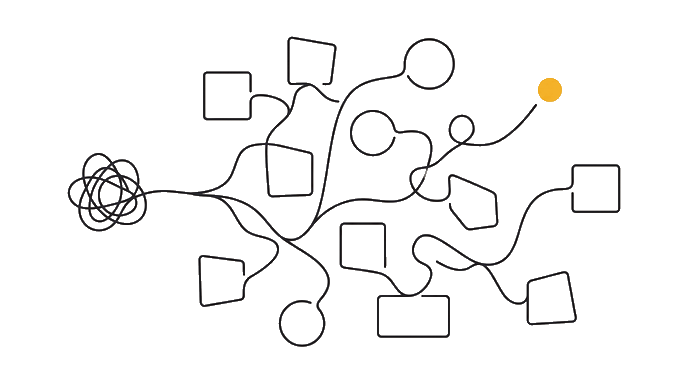
Here is the before and after: Before, the kit lives only in a chat or doc. After, the assets and rules have a home in the tool where designs will be made. For example, a solo service brand should show who it helps, what promise it makes, what proof supports that promise, and where the identity must appear first. A company brand should add rules for collaborators, templates, and repeated use.
Now try it: Turn the one-page kit into a setup plan for Canva or Adobe Express. Make one choice before asking Claude to write: audience, promise, reference, asset type, tool, launch context, or review risk. That choice keeps the work from turning into generic brand inspiration.
| Before | After | |
|---|---|---|
| Input | Scattered | Named |
| Output | Guessing | a tool-ready brand kit setup plan |
| Check | Hidden | Visible |
| Next step | Unclear | Ready |
The lesson turns a loose brand identity idea into an artifact you can inspect.
The lesson is done when the artifact can guide a real brand asset and survive one honest review.
Try it (18 min)
Watch out for
- Uploading logo files without naming versions.
- Adding colors without roles.
- Giving edit access to people who only need use access.
Paste this into Claude
Turn this one-page brand kit into a Canva or Adobe Express setup plan. Include brand name, logo files needed, color values, font choices or substitutes, image rules, template needs, collaborator access, and what to check after setup.

If any input is missing, ask me up to three questions before producing the artifact. Then return five sections: Finished Artifact, Realistic Brand Example, Assumptions To Check, What I Should Use In The Next Lesson, and One Risk If I Use This Publicly Without Fixing It. Keep the answer practical enough that I can paste it into my brand working doc.
What a good response looks like
Finished Artifact:
- a tool-ready brand kit setup plan
- Why it matters: it gives the brand system a concrete thing to inspect instead of a vague intention.
- Use it next: paste this artifact into the next lesson before asking Claude to write, build, import, publish, or review anything.

Reality Check:
- The artifact names the user, input, decision, owner, or proof it depends on.
- The weakest assumption is visible.
- The next step can be completed in one sitting.
What good looks like
- The chosen tool is named.
- Logo, color, and font setup items are listed.
- Collaborator access is addressed.
- A post-setup check is included.
Go deeper (8 min)
Paste this into Claude
Without rereading the lesson, explain why a tool-ready brand kit setup plan matters in three bullets. Then apply it to a second brand example: [describe a different solo brand, company, or project]. Return What Changed, What Stayed The Same, What To Check Before Public Use, and the exact next action.
What a good response looks like
Transfer Check:
- What changed: the second example has a different audience, input, or delivery context.
- What stayed the same: a tool-ready brand kit setup plan still needs a source, a review check, and a next step.
- Before trusting it: inspect the brand review check that would catch a wrong assumption.
- Next action: run the check once, then carry the revised artifact into the next lesson.
What good looks like
- You explained the lesson idea from memory before applying it again.
- The second example changes the artifact instead of copying the first answer.
- The public-use check names a real risk.
- The next action can be done in one sitting.
When this breaks
- Breaks when the tool kit lacks roles because templates use assets inconsistently.
- Fails when sharing is wrong because collaborators cannot use or protect the brand.
AI can help with this
Paste the exercise prompt into Claude with your real brand context. Ask Claude to interview you one question at a time, produce a tool-ready brand kit setup plan, challenge the weakest assumption, and rewrite the artifact once so it is ready for the next brand step.
You can now
You can point to a tool-ready brand kit setup plan.
- You can explain what brand decision it makes clearer.
- You can name the assumption that still needs checking.
- You can use the output in the next lesson.
Key takeaways
A tool kit makes brand rules usable by the people creating real assets.
- Tool setup needs asset names and roles.
- Fonts need substitutes when needed.
- Access level matters.
- Post-setup checks prevent drift.