What creative work with Claude really means (and what it is not)
After this, you'll be able to describe Claude as a creative partner in one sentence, name the kinds of creative jobs it helps with, and explain why it is a thinking partner, not a vending machine and not the separate Claude Design tool.
Before you start
Do AI Is Not a Search Engine first; creative work with Claude runs on that same skill, giving it a rich description of what you want instead of a few keywords.
The idea
Here is the good news: you do not need to be a designer to do real creative work. You need a creative partner who thinks like one, and that is what Claude becomes the moment you stop treating it like a vending machine. Picture a sharp, generous colleague who never gets tired of your ideas and never makes you feel small for asking. You bring the taste and the direction. Claude brings the speed, the options, and a second brain that remembers your world.
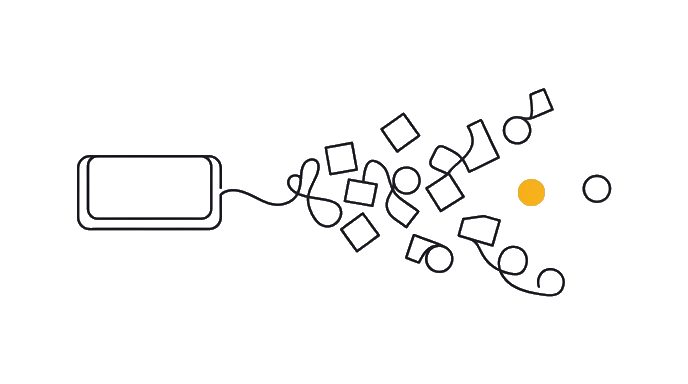
What "creative work" means here is the thinking-and-directing layer of design and brand work. That covers your brand (the personality and promise people feel when they meet your work), your voice (how you sound in words), concepts (the big ideas behind a campaign), copy (the actual words on a page or post), art direction (steering how something looks), and critique (judging whether a design works). Claude helps with all of it, in plain conversation.
Here is the before and after: Without Claude, you stare at a blank page trying to name a product, write a tagline, or describe the look you want, alone. With Claude, you describe your situation in plain words and get ten named options, three tagline directions, or a clear brief you can hand to a designer, in minutes. You still choose. Claude makes sure you are never choosing from an empty table.
What it is NOT matters as much as what it is. It is not the Claude Design tool (a separate product at claude.ai/design that builds actual websites and slides on a canvas). That tool has its own track on this site. Claude here is the everyday Claude you chat with, used for the creative thinking before and around the making.
It is also not your replacement. Claude does not have your taste, your relationships, or your stake in the work. It will happily give you a generic answer if you ask a generic question. The skill this whole track teaches is how to direct it so the output is unmistakably yours, not anyone's.
One more boundary: Claude does not draw pictures. It cannot paint a logo or render a photo. What it can do is write the instructions for an image tool, and look at images you show it and tell you what is working. You will use both of those powers later in the track.
You bring taste and direction; Claude brings speed and a second brain. That partnership, not a magic button, is the whole idea.
Try it (8 min)
Watch out for
- Expecting Claude to hand you a finished, perfect creative piece from a one-line request. A vague ask gets a generic answer; your direction is what makes the work good.
- Confusing this with the Claude Design tool. That tool builds actual sites and decks on a canvas; here you use everyday Claude for the creative thinking around the making.
- Asking Claude to draw or generate a picture. It cannot. It writes the prompt for an image tool and critiques images you show it, which you will practice later.
- Treating Claude's first answer as the final answer. The value is in the back-and-forth, where you push it toward your taste instead of accepting the average.
Paste this into Claude
I want to understand how to use everyday Claude as a creative partner before I start. In plain language, no jargon:

1. Explain in 2 sentences what it means to use you as a "creative partner," as if you were telling a friend who has never done design or branding work.
2. List 6 kinds of creative jobs I could bring to you (naming, taglines, brand voice, campaign concepts, art-direction notes, design critique) and give ONE realistic example of each for a [YOUR_KIND_OF_WORK] business.
3. Explain the one big difference between asking you to THINK about a design and asking a separate tool to BUILD the design.
4. Tell me one thing you are NOT good for in creative work, so I go in with the right expectation.

Keep it short and concrete. I want to feel oriented, not lectured.
What a good response looks like
Here's your orientation:

1. **What it means:** Using me as a creative partner means you talk through brand, ideas, and words with me the way you would with a smart teammate. You decide what is good; I make sure you always have strong options to decide from.

2. **Six creative jobs, for a neighborhood coffee roaster:**
- Naming: ten name ideas for a new holiday blend.
- Taglines: three directions for a line under your logo.
- Brand voice: a short guide so every caption sounds like you.
- Campaign concept: the big idea behind a "first cup of winter" push.
- Art-direction notes: a written description of the photo mood you want.
- Design critique: feedback on a label draft you paste in for me to look at.

3. **Think vs build:** I help you decide what the label should say and feel like. A separate build tool turns that decision into a finished label you can print. One is the brief; the other is the object.

4. **What I'm not for:** I have no taste of my own and I cannot draw. If you ask me for "a nice logo," you get a generic answer. Point me at your specific world and your judgment, and the work becomes yours.
What good looks like
- You can say, in one sentence, what using Claude as a creative partner means
- You can name at least four of the six creative jobs it helps with
- You can explain the difference between Claude thinking about a design and a tool building one
- You can name one thing Claude is not for in creative work (it has no taste of its own; it does not draw)
When this breaks
- Breaks when you treat Claude like a vending machine and accept whatever drops out. It gives you the generic middle unless you steer it with your specific context and taste.
- Breaks when you expect it to replace a creative's judgment. It generates options fast, but deciding what is good, and what fits you, stays your job throughout.
AI can help with this
Use Claude, ChatGPT, Gemini, Canva, Adobe Express, Firefly, Midjourney, Codex, or another approved creative tool based on the job. Give the assistant real brand context, examples, exclusions, and a review standard, then use human taste to choose what survives.
You can now
You can complete the lesson outcome against a real creative job, brand, asset, or campaign.
- You can say, in one sentence, what using the creative assistant as a creative partner means.
- You can name at least four of the six creative jobs it helps with.
- You can explain the difference between the creative assistant thinking about a design and a tool building one.
- You can name one thing the creative assistant is not for in creative work (it has no taste of its own; it does not draw).
Key takeaways
Everyday Claude is a creative partner for the thinking and directing of brand and design work: naming, voice, concepts, copy, art direction, and critique. You keep the taste; it brings speed and options.
- Claude is a creative partner for thinking and directing, not a button that outputs finished art.
- It helps with brand, voice, concepts, copy, art-direction notes, and design critique, all in plain conversation.
- It is not the separate Claude Design tool, which builds actual sites and decks on a canvas.
- It does not draw; it writes prompts for image tools and critiques images you show it.
- It gives generic answers to generic asks; your direction and taste are what make the work yours.
Go deeper