Wireframe vs high-fidelity: when to use which
After this, you'll know the difference between a wireframe and a high-fidelity design, and you'll be able to choose the right one when you start a project, so you spend your builds in the right order.
Before you start
Do Answer Claude's clarifying questions first; once you can brief the first build, this lesson covers the choice you make at the start of a project, wireframe or high-fidelity.
The idea
When you start a project, Claude Design lets you pick between a wireframe and a high-fidelity design. Choosing the right one for the moment saves you both time and builds.
A wireframe is a rough, black-and-white layout. No real colors, no images, no polish, only the structure: where the headline goes, where the buttons sit, what order the sections come in.
A high-fidelity design is the opposite. It is a polished version that looks close to the finished product, with real colors and real fonts. It has a near-final look you could show a client or put online.
The trap is thinking high-fidelity is always the better choice because it looks nicer. It is not always better.
It is better later. Each kind is the right tool at a different stage of the job.
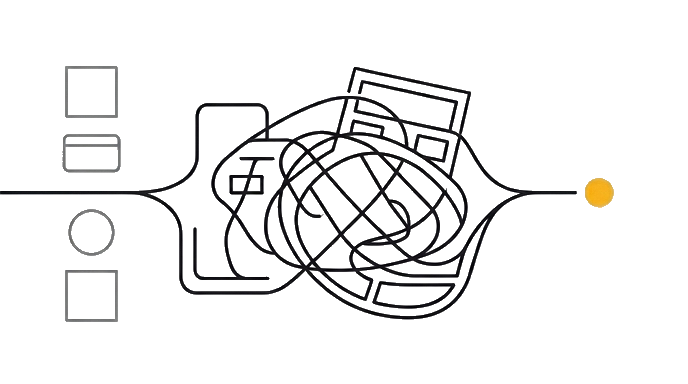
Here is the before and after: Someone jumps straight to a high-fidelity build, falls in love with the colors, and only then realizes the whole section order is wrong. Now they are redoing a polished page, which is slow and spends builds.
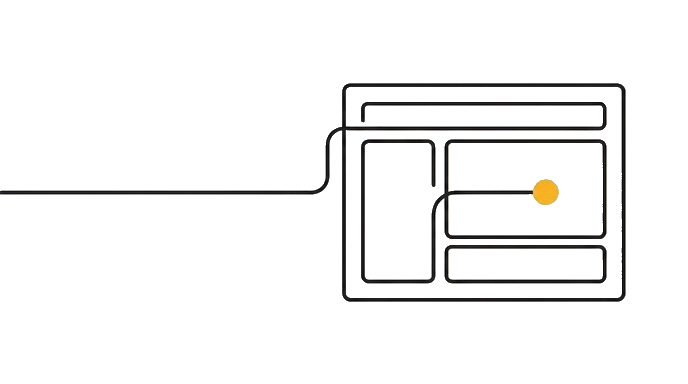
Someone else starts with a wireframe and moves the sections around until the structure is right, while it is still cheap and fast to change. Then they build the high-fidelity version once. Same project, far fewer wasted builds.
Use a wireframe when you are still figuring out the bones. You are not sure what sections you need, what order they go in, or what the copy (the words on the page) should say.
A wireframe lets you settle all of that fast, without getting distracted by colors and fonts that might change anyway. It is the cheap, quick way to get the skeleton right first.
Use high-fidelity when the structure is already settled and you are ready for the real thing. You know your sections, your order, and roughly your words.
Now you want it to look finished, on-brand (matching your colors, fonts, and style), and ready to share. This is the build you show people. Going high-fidelity once, after the bones are right, beats going high-fidelity three times while you change your mind.
The simple rule of thumb ties it together: wireframe to decide what goes where, high-fidelity to make it look real. Many projects use both in that order, structure first, polish second. You can also skip straight to high-fidelity for something small and obvious, where the structure is not really in question.
Wireframe nails the layout fast and cheap; high-fidelity makes it look finished. Get the bones right first, then build the polished version once.
Try it (9 min)
Watch out for
- Jumping to high-fidelity because it looks nicer, while the section order is still unsettled. You end up polishing a layout you're about to change, which spends builds.
- Treating a wireframe as a failed or ugly design. It's black-and-white and bare on purpose, so you focus on structure without getting distracted by color and fonts.
- Staying in wireframe too long, tweaking gray boxes forever. Once the bones are right, move on; a wireframe can't show you the real, finished feel.
- Forcing a wireframe step onto something tiny and obvious (a simple poster), where the structure was never really in question. Skip straight to high-fidelity there.
Paste this into Claude
I want to get better at choosing between a wireframe (a rough black-and-white layout, only the structure) and a high-fidelity design (a polished, near-final version) when I start something in Claude Design.

Here are a few things I might make: [LIST 2-3, e.g. "a landing page for a new product I'm still figuring out," "a quick poster for an event next week," "a redesign of a page whose layout I already like"].

For each one, please:
1. Tell me whether I should start with a wireframe or go straight to high-fidelity, and why.
2. Explain what I'd be deciding or checking at that stage.
3. If the answer is wireframe first, tell me what has to be true before I move on to the high-fidelity build.
What a good response looks like
Here's the call for each project:

**1. Landing page for a product you're still figuring out → wireframe first.**
You don't yet know your sections or the order, so start cheap and structural. At this stage you're deciding what blocks the page needs (hero, features, pricing, sign-up) and what order they go in. Move to high-fidelity once the section order and rough wording feel right and stop changing.

**2. Quick poster for an event next week → straight to high-fidelity.**
The structure is obvious (title, date, place, one image), so there's nothing real to figure out with a wireframe. Skip ahead and make it look finished.

**3. Redesign of a page whose layout you already like → straight to high-fidelity.**
You're keeping the structure, so the bones aren't in question. Go high-fidelity and spend your attention on the look, not the layout.

**The pattern:** wireframe when the *structure* is still a question, high-fidelity when it's settled and you want the *real, shareable* thing.
What good looks like
- You can explain the difference between a wireframe and a high-fidelity design in plain words
- You can name when a wireframe is the right call (structure, sections, and copy still in question)
- You can name when high-fidelity is the right call (structure settled, ready for the real, shareable thing)
- You can describe why doing the structure as a wireframe first saves builds versus polishing a high-fidelity page over and over
| Ready | Needs work | |
|---|---|---|
| Job fit | You can explain the difference between a wireframe and a high-fidelity design in | The task is still vague |
| Proof | You can name when a wireframe is the right call structure, sections, and copy still | The result is assumed |
| Risk | Low | Breaks when you assume high-fidelity is always better because it looks finished. It's |
| Next move | Continue | Clarify first |
Use Ready only when the proof is visible.
When this breaks
- Breaks when you assume high-fidelity is always better because it looks finished. It's better only after the structure is settled; before that, it just makes changes slower and more expensive.
- Breaks when you never wireframe a project whose structure you haven't figured out. You discover the layout is wrong inside a polished build, which is the costliest place to find out.
AI can help with this
Not sure which to pick? Inside Claude Design, say what you're doing: 'I'm still figuring out the sections for this page, should I start rough or polished?' Claude will point you to a wireframe if the structure is still open, or high-fidelity if it's settled. You don't have to decide alone.
You can now
You can complete the lesson outcome in Claude Design or in the supporting tool the lesson names.
- You can explain the difference between a wireframe and a high-fidelity design in plain words.
- You can name when a wireframe is the right call (structure, sections, and copy still in question).
- You can name when high-fidelity is the right call (structure settled, ready for the real, shareable thing).
- You can describe why doing the structure as a wireframe first saves builds versus polishing a high-fidelity page over and over.
Key takeaways
A wireframe is a rough structure-only draft; high-fidelity is the polished, near-final version. Wireframe to nail layout and copy fast and cheap, then build the high-fidelity version once the bones are right.
- A wireframe is a rough black-and-white layout, just structure, no real colors or images.
- A high-fidelity design is polished and near-final, with real colors and fonts, ready to share.
- Wireframe first when sections, order, and copy are still in question, because changes stay fast and cheap.
- Go high-fidelity once the structure is settled and you want the real, shareable thing, then build it once.
- The rule of thumb: wireframe to decide what goes where, high-fidelity to make it look real.
Go deeper