What it can't do: hosting, backends, and forms
After this, you'll know exactly where Claude Design stops, so you don't expect it to host your site, run a working contact form, or power a database, and you'll know what handles those jobs instead.
Before you start
Complete Export your page as HTML and put it online first; that lesson covered hosting, and this one draws the full line around what's a separate step beyond the design.
The idea
*Claude Design builds the front of a website: the page people see. It does not run the back: the hosting, the working forms, or the database behind the scenes. Knowing this line saves you real frustration. The front (often called the front-end) is the visible page. The back (the back-end*) is the machinery that stores data and makes things actually work.
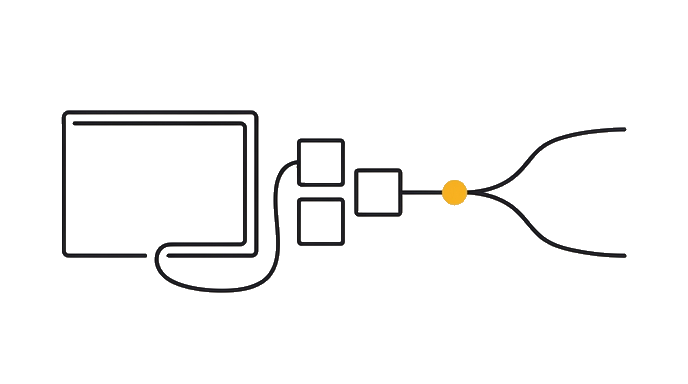
This is the single most useful expectation to set. Claude Design ships a designed page made of web code, and that is a lot, but it is not a running business system.
Three things it does not do come up constantly, so name them plainly:
- Hosting: it makes the page, but it does not keep it live on the internet. A host does that (covered in the last lesson). - A back-end: it does not run a database (a stored collection of information, like your customer list) or any logic behind the page. The page is the storefront, not the warehouse. - Working forms: it can design a contact form or a sign-up box, but the box does not actually send you anything on its own. Making a form deliver real messages needs a separate forms service.
A *forms service* is a small tool that catches what people type into your form and emails it to you or saves it. You connect one to your designed form, and only then does "submit" actually reach you.
Here is the before and after: Someone designs a beautiful contact form, puts the page online, and never gets a single message, because the form was never wired to send anything. Someone else knows the form is only a design, connects a forms service, and starts receiving real inquiries the same day.
Why this is good news, not bad is honesty over hype. Claude Design is excellent at the part that used to need a designer: the look and the page. The other parts (hosting, forms, data) are each a small, separate, solvable step. You are not stuck; you know which tool does which job.
Claude Design makes the page, not the plumbing. Hosting keeps it live, a forms service makes forms deliver, and a back-end stores data. Each is a separate, doable step, so you go in with clear eyes.
| Ready | Needs work | |
|---|---|---|
| Job fit | You can name three things Claude Design does not do: host, run a working form, run a | The task is still vague |
| Proof | You can say what handles each of those instead a host, a forms service, a back-end | The result is assumed |
| Risk | Low | Breaks when you treat a designed page as a running system. The page is the |
| Next move | Continue | Clarify first |
Use Ready only when the proof is visible.
Try it (9 min)
Watch out for
- Assuming a designed contact form already sends you messages. It's only a design until you connect a forms service.
- Expecting Claude Design to host your site. It makes the page; a host keeps it live, and that's a separate step.
- Thinking you need a back-end for a simple page. Most landing pages need only hosting and maybe a forms service, not a database.
- Putting a page online and never testing the form. Always submit it yourself and confirm the message actually arrives before you trust it.
Paste this into Claude
I want to be clear-eyed about what Claude Design does and doesn't do, so I don't expect it to run things it was never built to run.

I'm planning to make: [DESCRIBE YOUR PROJECT, e.g. "a landing page with a contact form for my consulting business"].

Please:
1. Tell me which parts of my project Claude Design can do (the design, the page itself) and which parts it can't (hosting, a working form, any stored data).
2. For each part it can't do, name what handles that job instead (a host, a forms service, a back-end), in plain language.
3. Give me a simple checklist of the separate steps I'd take to go from "designed page" to "page online with a form that actually emails me."
4. Warn me about the most common wrong expectation people have here.
What a good response looks like
Here's the honest map for your consulting page:

**1. Claude Design can do:**
- Design the whole page and the look of the contact form.
**Claude Design can't do:**
- Host the page (keep it live online).
- Make the contact form actually send you messages.
- Store anything, like a list of who contacted you.

**2. What handles each instead:**
- Hosting: a free static host like Vercel.
- A working form: a forms service that catches submissions and sends them where they need to go.
- Stored data: a back-end, only if you truly need to save and manage information.

**3. Your steps, in order:**
1. Design the page (and form) in Claude Design.
2. Export and host it so it's live.
3. Connect a forms service so the form emails you.
4. Test it: submit the form yourself and confirm the email arrives.

**4. Most common wrong expectation:**
That the designed contact form already works. It's a design until you wire it to a forms service, so always test it before you rely on it.
What good looks like
- You can name three things Claude Design does not do: host, run a working form, run a back-end
- You can say what handles each of those instead (a host, a forms service, a back-end)
- You understand a designed form doesn't send anything until it's connected to a forms service
- You can list the separate steps from designed page to live page with a working form
When this breaks
- Breaks when you treat a designed page as a running system. The page is the storefront, not the warehouse, so forms, hosting, and data each need their own separate tool.
- Breaks when you expect one tool to do everything. Claude Design is excellent at the design; pairing it with a host and a forms service is how the whole thing actually works end to end.
AI can help with this
Not sure what your project needs beyond the design? Open regular Claude and describe it: 'I made this page in Claude Design, what else do I need to make the contact form actually work and get it online?' Claude lists the separate pieces and points you at a tool for each.
You can now
You can complete the lesson outcome in Claude Design or in the supporting tool the lesson names.
- You can name three things Claude Design does not do: host, run a working form, run a back-end.
- You can say what handles each of those instead (a host, a forms service, a back-end).
- You understand a designed form doesn't send anything until it's connected to a forms service.
- You can list the separate steps from designed page to live page with a working form.
Key takeaways
Claude Design makes the page, not the plumbing. Hosting keeps it live, a forms service makes forms deliver, and a back-end stores data. Each is a separate, doable step, so you plan with clear eyes instead of frustration.
- Claude Design builds the front-end (the visible page), not the back-end (the machinery behind it).
- It doesn't host your site; a host keeps the page live at a web address.
- A designed form doesn't send anything until you connect a forms service.
- It doesn't run a database, so saving and managing data needs a back-end, only if you truly need one.
- Each missing piece is a small, separate, solvable step, so you're never actually stuck.