Export your page as HTML and put it online
After this, you'll understand that Claude Design builds real web code you can export, what 'hosting' means, and the honest path to putting a simple page online for free, so your design doesn't stay stuck in the canvas.
Before you start
Complete Hero and sections that read well first; once your page reads clearly, this lesson explains how that finished page gets from the canvas onto the real web.
The idea
*Claude Design builds a real web page made of code (the instructions a browser reads to show a page), not a flat picture. That means you can export it as HTML (the main code format for web pages) and put it online. Getting a page online is called hosting*: paying or using a free service to keep your page on a computer that is always connected to the internet, so anyone can visit it.
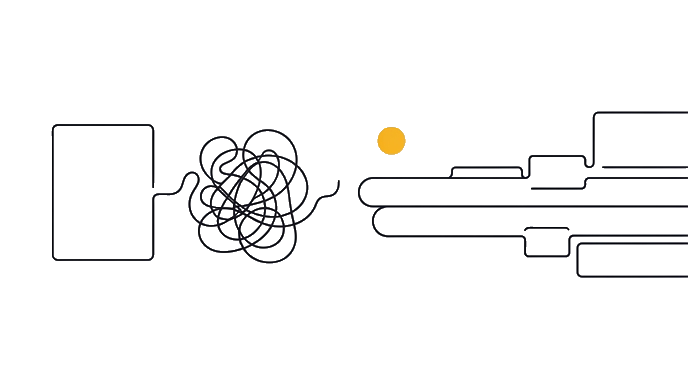
This is a real advantage. Because the output is code, not a screenshot, the page you designed can actually become a live website, not only an image of one.
The export is straightforward. The Export button at the top right offers a standalone HTML option, which saves your page as a web file you can open in any browser. That file is your design, ready to be hosted.
Hosting, in plain terms means putting that file somewhere on the internet so it has a web address other people can visit. Your computer alone is not enough, because it is not always on and reachable. A host is a service that keeps your page live around the clock. Some hosts are free for simple pages; Vercel is one our walkthroughs name as a free option for static pages.
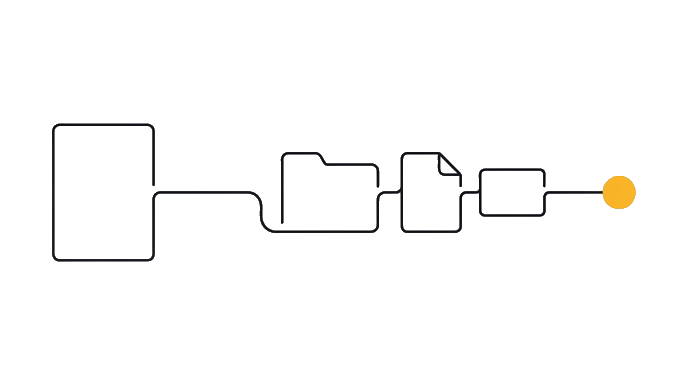
The honest path for a non-developer is worth being clear about. The smoothest route is the handoff to Claude Code (a later module covers this in full): Claude Design packages your design, Claude Code turns it into a proper site, and a free host like Vercel serves it. You do not write code; you ask Claude to do each step.
Here is the before and after: Someone designs a gorgeous page, never learns how to publish it, and it lives forever on the canvas where no customer can see it. Someone else exports the HTML, follows the handoff path to a free host, and ends up with a real web address they can put on a business card.
Why know this now even before the handoff module: it sets the right expectation. Claude Design gets you a finished, real page, and putting it online is a separate, doable step, not magic and not out of reach.
Claude Design exports real HTML, and hosting puts that page online at a web address. The non-developer path runs through the Claude Code handoff to a free host, with you directing each step, not coding.
Try it (9 min)
Watch out for
- Expecting Claude Design to publish your page by itself. It exports the page; hosting is a separate step through the Claude Code handoff and a host.
- Thinking you have to write code to host a page. The path is no-code: you ask Claude to handle each step in plain words.
- Confusing 'exported the HTML' with 'it's live.' The exported file is your page; it's only online once a host is serving it at a web address.
- Assuming your own computer can host the page. A host has to be always on and reachable, which a personal laptop isn't.
Paste this into Claude
I've designed a page in Claude Design and I want to understand, in plain language, how it gets from the canvas onto the real internet, without me writing code.

Please explain to me like I'm new to all of this:
1. What it means that Claude Design exports "real HTML" instead of a picture, and why that matters for putting it online.
2. What "hosting" is and why my own computer isn't enough to keep a page online.
3. The honest, no-code path to getting a simple page live for free (the Claude Code handoff to a free host like Vercel), in rough steps.
4. One realistic expectation to set: what's easy here, and what's a separate step I shouldn't expect Claude Design to do by itself.
What a good response looks like
Here's how your page gets online, in plain terms:

1. **Real HTML, not a picture:** Claude Design builds the actual code a browser reads, so your page can become a working website. A screenshot could only ever be a flat image; real HTML can be visited and clicked.

2. **What hosting is:** hosting means keeping your page on a computer that's always on and connected, so it has a web address anyone can visit. Your laptop isn't enough because it's not always awake and reachable.

3. **The no-code path:** export the standalone HTML, then use the handoff to Claude Code to turn it into a proper site, and let a free host like Vercel serve it. You direct each step in plain words; you don't write code.

4. **Realistic expectation:** designing the page is the easy, fast part. Putting it online is a separate step, but a doable one. Claude Design makes the page; it doesn't host it for you by itself.
What good looks like
- You can explain why exporting real HTML matters: the page can become a live site, not just an image
- You can define hosting in plain words and say why your own computer isn't enough
- You can describe the no-code path at a high level (export, Claude Code handoff, free host)
- You can set a realistic expectation: designing is easy, hosting is a separate, doable step
- explain why exporting realYou can explain why exporting real HTML matters: the page can become a live site, not
- define hosting in plainYou can define hosting in plain words and say why your own computer isn't enough
- describe the no-code pathYou can describe the no-code path at a high level export, Claude Code handoff, free
- Explain to a friend,Explain to a friend, without notes, what 'hosting' means and why a Claude Design page
When this breaks
- Breaks when you treat the design as the finished product. A page on the canvas is real and complete as a design, but nobody can visit it until it's hosted, so the publish step is part of the job.
- Breaks when you expect hosting to be one magic button inside Claude Design. It's a short, separate path through the Claude Code handoff and a free host, and knowing that prevents the 'why won't it just go live' frustration.
AI can help with this
Unsure about any step of getting online? Open regular Claude and ask: 'I made a page in Claude Design, walk me through getting it live on a free host without writing code.' Claude lays out each step and answers your questions as you go.
You can now
You can complete the lesson outcome in Claude Design or in the supporting tool the lesson names.
- You can explain why exporting real HTML matters: the page can become a live site, not just an image.
- You can define hosting in plain words and say why your own computer isn't enough.
- You can describe the no-code path at a high level (export, Claude Code handoff, free host).
- You can set a realistic expectation: designing is easy, hosting is a separate, doable step.
Key takeaways
Claude Design exports real HTML, so your page can become a live website. Hosting puts it online at a web address, and the no-code path runs through the Claude Code handoff to a free host, with you directing each step.
- Claude Design builds real web code (HTML), not a flat picture, so the page can go live.
- The Export button offers standalone HTML: your page saved as a web file.
- Hosting means keeping the page on an always-on computer so it has a visitable web address.
- The no-code path: export, hand off to Claude Code, and serve it on a free host like Vercel.
- Designing is the fast part; hosting is a separate, doable step, not magic and not out of reach.
Go deeper