Iterating on Artifacts: how to refine, edit, and extend
Every Artifact is a first draft you can shape
After this, you'll be able to treat any Artifact as a first draft and request specific changes: add a column, change a color, fix the logic, make it shorter. You'll get a clean updated version instead of starting over.
Before you start
Complete React Artifacts: when to use them (and when not to) first; this lesson builds on the whole module by teaching you to refine any Artifact type, and it assumes you have now produced several kinds to practice editing.
The idea
Every Artifact is a first draft you can shape, not a final answer. Every type supports iteration: add a column, change the color, fix the logic, make it shorter. Treating Artifacts as drafts is what makes them genuinely useful.
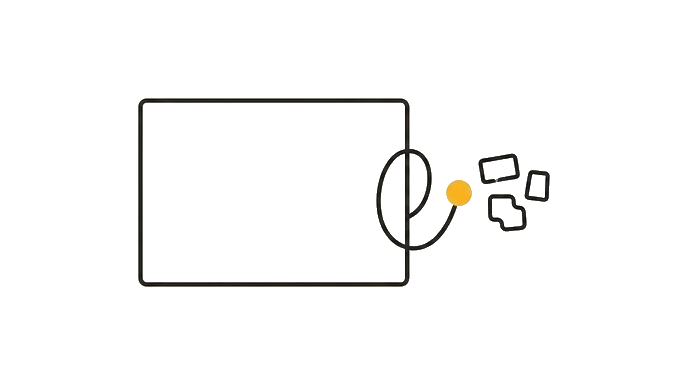
The most common mistake is to decide the first version is not quite right and start a whole new prompt from zero. You do not have to, because whatever is in the panel, Claude can edit in place.
The trick is being specific about the one thing you want changed. "Make it better" gives Claude nothing to act on; "add a column for due dates and sort by it" tells Claude exactly what to do, so it changes that and leaves the rest alone.
Here is the before and after: Without this, you scrap a budget tracker that is missing one column and re-type a long new prompt, losing the parts that worked. With this, you keep the working Artifact and ask for one change, and Claude updates it while keeping what you liked.
Now try it: take any Artifact you made earlier and send one specific change, like "make the heading larger and change the accent color to green." Notice that Claude edits the version in the panel instead of starting over.
That in-place editing is iteration, and it is the habit that turns a rough first draft into exactly what you need.
Try it (11 min)
Watch out for
- Saying 'make it better' and getting random changes; name the exact change you want so Claude edits only that
- Requesting six changes in one message and losing track of what changed; go one change at a time so each is easy to verify
- Starting a brand-new prompt when you could refine the existing Artifact; rebuilding loses the parts that already worked
- Forgetting to say 'keep everything else the same'; that phrase stops Claude from quietly rewriting parts you liked
- Not screenshotting a version you like before a big change; if a change goes wrong, you have a reference to ask Claude to restore
Paste this into Claude
First, create a simple expense tracker as a tool in the panel: I enter an expense name and an amount, it adds it to a list, and it shows a running total of everything I have entered.

Once it works, I am going to refine it one change at a time. Make these changes in order, and after each one, keep everything else exactly as it was:

1. Add a "Category" field with a dropdown: Rent, Food, Transport, Other.
2. Add a section that shows the total spent in each category.
3. Change the look so the running total is large and bold at the top.
4. Make it shorter and simpler: remove anything that is not the input fields, the list, the category totals, and the grand total.

Do not rebuild from scratch each time. Edit the existing tool, and tell me what you changed after each step.
What good looks like
- A working expense tracker opened in the panel and showed a running total
- Each of the four changes was applied in order to the same tool, not a new one each time
- The Category dropdown and per-category totals work after being added
- The running total appears large and bold at the top after the styling change
- The final version kept only the requested parts, and Claude told you what changed at each step
When this breaks
- Breaks when your change request is vague because Claude has nothing precise to act on, so 'improve it' produces scattershot edits that may remove the parts you wanted to keep.
- Breaks when you stack many changes into one message because the edits get tangled and hard to check, so a problem in step two is buried under steps three through six.
AI can help with this
With any Artifact open in the panel, paste this and fill in the bracket: 'Edit the version in the panel, do not rebuild it. Make this one change: [the specific change you want, for example add a column for due dates and sort by it]. Keep everything else exactly the same and tell me what you changed.'
You can now
You can complete the lesson outcome in a real Claude chat, Project, Artifact, Connector, Desktop, or Code surface.
- You can verify that a working expense tracker opened in the panel and showed a running total.
- You can verify that each of the four changes was applied in order to the same tool, not a new one each time.
- You can verify that the Category dropdown and per-category totals work after being added.
- You can verify that the running total appears large and bold at the top after the styling change.
Key takeaways
Every Artifact is a first draft you can shape. Specific, one-change-at-a-time requests steer it to exactly what you need, far faster than starting over.
- Treat any Artifact as a first draft; Claude can edit the version in the panel in place.
- Name the exact change you want so Claude edits only that and leaves the rest alone.
- Make changes one at a time so each edit is easy to verify before the next.
- Add 'keep everything else the same' to stop Claude from rewriting parts you liked.
- Screenshot a version you like before a big change, so you have a reference to restore from.
Go deeper