What Connectors are, and why they change everything
From describing your files to letting Claude read them
After this, you'll be able to explain what a Connector gives Claude (data access, not new skills), name two things changing in your workflow once one is active, and decide which of your real data sources is worth connecting first.
Before you start
Complete Projects in 10 minutes first; this lesson builds on Projects as your standing context, and Connectors extend that same context out to live data sources Claude can read.
The idea
A Connector gives Claude read (and sometimes write) access to your real data: your Drive files, your email, your calendar. The shift from "describe your document to Claude" to "Claude reads your document" raises the quality of every output that depends on that file.
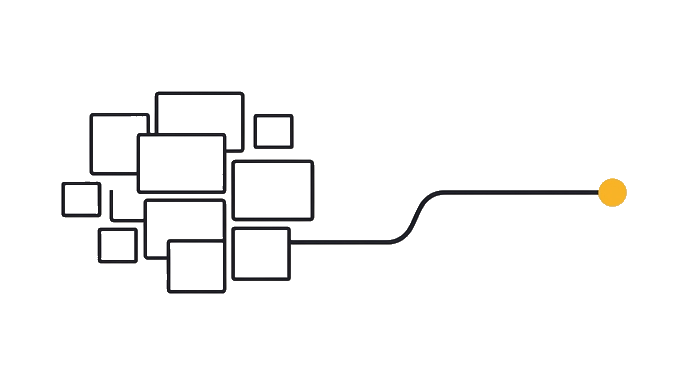
Up to now you have been Claude's eyes. You read the report, summarized it, pasted the summary in, and Claude worked from your retelling. A Connector removes that middle step so Claude reads the source itself.
Here is the trap to name out loud. A Connector does not make Claude smarter at a tool; it is not "Gmail mode" or "a Drive brain." The new ability is access, not reasoning.
Here is the before and after: Before, you skim the Q3 budget and type "we overspent on contractors, summarize the risks," and Claude misses the travel overage you never mentioned. After, with Drive connected, you ask "read the Q3 budget in my Drive and flag every line over plan," and Claude catches the travel line because it saw the data, not your memory of it.
Now try it list the three data sources you touch most this week, and next to each write the one question you keep answering by hand that Claude could answer if it read that source directly.
A Connector is a pipe to your data, not a new brain.
Try it (10 min)
Watch out for
- Thinking a Connector teaches Claude a tool. It only grants data access; the model and its reasoning are unchanged.
- Connecting everything at once. Start with the one source tied to a task you repeat weekly, then add more.
- Assuming the free tier blocks Connectors. The directory ones (Drive, Gmail, Calendar, Slack) are free for everyone.
- Expecting Claude to act in a tool just because it is connected. Read access alone never sends or changes anything.
- Treating a connected source as always-watched. Claude reads it when your request calls for it, not in the background.
Paste this into Claude
I want to understand what would change in my work if Claude could read my real data instead of me describing it.

Here are the three sources I touch most in a normal week:
1. [e.g. my Google Drive "Clients" folder]
2. [e.g. my work email inbox]
3. [e.g. my Google Calendar]

For each source, ask me one question to learn how I currently use it. Then, based on my answers, tell me:
- The single most repetitive task I do by hand with that source that Claude could do if it could read it directly
- Whether that task only needs Claude to READ the data, or to also WRITE something back (send, update, create)
- One sentence on why connecting that source would change the quality of the result, not just the speed

Do not assume I am technical. Explain any term you use in the same sentence.
What good looks like
- Claude asked at least one clarifying question per source before recommending anything
- Each recommendation names a specific repetitive task you actually do, not a generic example
- Claude labeled each task as read-only or read-and-write
- Claude explained why connecting the source improves quality, not only speed
- You can point to one source you now want to connect first
When this breaks
- Breaks when you expect tool-specific intelligence, because a Connector adds access to data and not new reasoning, so the quality ceiling is still the model you already use.
- Breaks when you connect a source but keep pasting summaries anyway, because Claude answers from whatever you give it, and a pasted summary overrides the richer real file it could have read.
AI can help with this
Open Claude and paste: 'List the three data sources I touch most in a week (a Drive folder, my email, my calendar). For each, ask me how I use it, then tell me the one repetitive task Claude could do if it could read that source directly, and whether that task needs read access only or read and write.'
You can now
You can complete the lesson outcome in a real Claude chat, Project, Artifact, Connector, Desktop, or Code surface.
- You can verify that claude asked at least one clarifying question per source before recommending anything.
- You can verify that each recommendation names a specific repetitive task you actually do, not a generic example.
- You can verify that claude labeled each task as read-only or read-and-write.
- You can verify that claude explained why connecting the source improves quality, not only speed.
Key takeaways
A Connector gives Claude access to your real data, not a new brain. The same model now reads your actual files instead of your description of them, which raises the quality of every answer that depends on those files.
- Define a Connector as a pipe to your real data, never as a tool-specific upgrade to Claude's reasoning.
- Pick your first Connector by the weekly task it removes, not by which tool sounds most impressive.
- Expect read access to read only; sending or changing anything is a separate read-and-write permission.
- Stop pasting summaries once a source is connected, so Claude works from the real file instead of your retelling.
- Know the directory Connectors (Drive, Gmail, Calendar, Slack) are free for everyone, not a paid add-on.