Combining Connectors and scheduled work: the reusable pattern
Real data in through a connector, scheduled work out on its own
After this, you'll be able to design a workflow that pairs a connector (real data in) with scheduled work out, decide whether it belongs in Claude Code as a Routine or in no-code Cowork, and know which steps stay read-only versus need write access (and that a Routine's writes run unattended).
Before you start
Complete How a Routine runs first; you saw how one scheduled run behaves and how to verify it, and this lesson generalizes that into the reusable connector-plus-schedule pattern and the question of which surface a workflow belongs on.
The idea
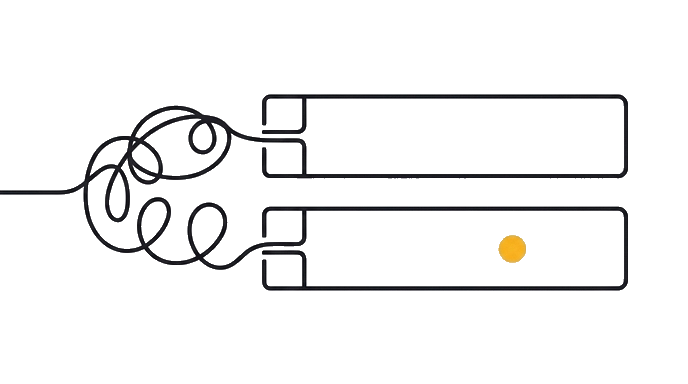
The reusable pattern is connector plus scheduled work: real data comes in through a connector, and a scheduled job produces the output on its own. The connector is the input from your real tools; the schedule is what makes it run without you starting it.

Where that scheduled job lives is the first judgment, and it turns on one question. Work tied to a code repository (a software project's files kept on GitHub) is a Routine in Claude Code, which runs cloud-only and is in research preview; recurring work with no code repository is a no-code Cowork task, which the next module covers.
The second judgment is read versus write. Work that only reports is read-only and safer to leave unattended; work that posts, updates, or files something is taking a real action. A Routine runs that write unattended, with no per-step approval, so you grant write access only where acting is the point.
Here is the before and after: Before, you treat "automate it" as one idea and get stuck on where it even lives. After, you ask two questions first: does it touch a code repository (Routine in Claude Code) or not (no-code Cowork)? And does it only report, or does it act?
Now try it take one recurring chore and run it through both questions, writing down the surface it belongs on, the connector it needs, the schedule, and whether it stays read-only or needs a write step.
Connector in, scheduled work out; the skill is placing it on the right surface and granting only the access it needs.
Try it (14 min)
Watch out for
- Skipping the surface question. A no-code chore is a Cowork task, not a Routine; placing it wrong wastes time.
- Including connectors a job does not need. Scope write access to only the connectors required for the task.
- Designing a write workflow before you trust a read one. Start with read-only digests, then add acting workflows.
- Choosing a chore that is rare. The pattern pays off on weekly or daily work, not a once-a-year task.
- Trusting an unattended write workflow on day one. Read a few run results before you stop checking it.
Paste this into Claude
Help me design a recurring workflow and place it on the right surface. There are two surfaces: a Routine (a Claude Code feature, in research preview, that pairs a prompt with one or more connected GitHub repositories and runs on a schedule, cloud-only) and a no-code Cowork task (recurring work that does not touch a code repository, covered separately). A repository is a software project's files kept on GitHub. Keep it concrete.

A recurring chore I would love to stop doing by hand: [e.g. "a Friday project digest from our issue tracker," "a nightly backlog grooming," "a daily news summary saved to a note"].

Design it with me:
1. SURFACE: does this chore touch a code repository (a software project's files on GitHub)? Based on that, tell me plainly whether it belongs in Claude Code as a Routine, or is a no-code Cowork task, and why
2. SOURCE: which connector feeds it, and what exactly does the run read from it
3. OUTPUT: what does the finished result look like, and where does it get delivered or posted
4. SCHEDULE: the exact recurrence it runs on
5. PERMISSION: does this stay read-only (only reports) or need write access (updates, posts, or files something)? Remember a Routine runs the write unattended, so if it writes, name only the connectors that need it

Finish with the workflow as one short spec: surface, connector, output, schedule, permission level.
What good looks like
- Claude judged the surface (Routine in Claude Code vs no-code Cowork task) by whether the chore touches a code repository
- The connector and what the run reads from it are named specifically
- The output and its delivery or posting destination are concrete
- The schedule is an exact recurrence
- Claude classified the workflow read-only or write, and scoped write access to only the connectors that need it
When this breaks
- Breaks when an unattended write workflow acts on bad input, because a Routine runs writes without per-step approval and no one reviews each run, so a wrong action (a misfiled ticket, a wrong-channel post) can repeat on schedule before you notice.
- Breaks when the workflow is placed on the wrong surface, because a no-code chore forced into a Routine has no code repository to clone, while a code task put on a no-code surface cannot reach the repository at all.
AI can help with this
Paste: 'Help me design and place a recurring workflow for [the recurring chore]. First tell me whether it belongs in Claude Code as a Routine (it touches a code repository, a software project's files on GitHub) or is a no-code Cowork task (it does not). Then name the connector and what it reads, the output and where it lands, the exact schedule, and whether it stays read-only or needs write access (which a Routine would run unattended), scoped to only the connectors that need it.'
You can now
You can complete the lesson outcome in a real Claude chat, Project, Artifact, Connector, Desktop, or Code surface.
- You can verify that claude judged the surface (Routine in Claude Code vs no-code Cowork task) by whether the chore touches a code repository.
- You can verify that the connector and what the run reads from it are named specifically.
- You can verify that the output and its delivery or posting destination are concrete.
- You can verify that the schedule is an exact recurrence.
Key takeaways
The connector-plus-schedule pattern is real data in through a connector and scheduled work out on its own. The two judgments that make it safe are surface (a code-repository task is a Routine in Claude Code, a no-code chore is a Cowork task) and access (default to read-only, and since a Routine writes unattended, scope write access to only the connectors that need it).
- Design automations as connector in plus scheduled work out, the single shape behind every example.
- Place each workflow by surface first: a code-repository task is a Routine in Claude Code, a no-code chore is a Cowork task.
- Scope any scheduled job to only the connectors it needs, especially the ones that can write unattended.
- Default to read-only and add write access only where acting unattended is the actual goal.
- Read a few run results before trusting any write workflow on its own schedule.
Go deeper