Why the Desktop app is different from the browser
OS-level access the browser tab can never have
After this, you'll be able to explain the two things the Desktop app has that the browser tab cannot, decide whether you should install it, and stop treating it as just a browser without the browser.
Before you start
Complete Combining Connectors and scheduled work: the reusable pattern first; this lesson builds on your first automated workflow there, and the Desktop app opens the no-code automation path for everyday chores and on-screen work.
The idea
The Desktop app adds two things the browser structurally cannot have: direct file access, and the Cowork context. A web page runs in a sandbox, so browser Claude can never touch a file unless you upload it. The Desktop app is a native program, so it opens files where they live.
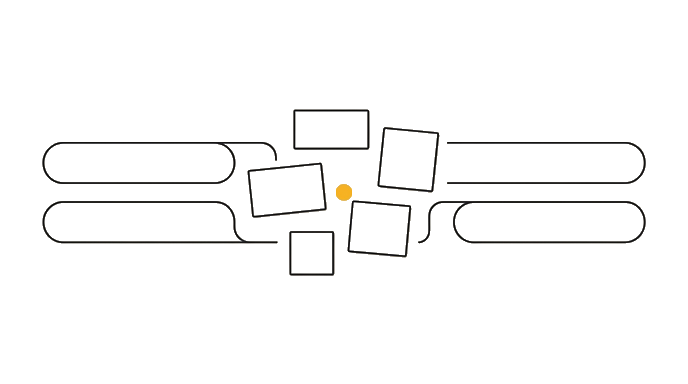
That Cowork context is what holds the scheduled work and Computer Use this module builds toward. The app installs free and Chat works on any plan, but those Cowork capabilities are paid-only, so you will see plan notes as we go.
Here is the before and after: In the browser, reading three reports means downloading them, then dragging each into the chat, then waiting for every upload. In the Desktop app you point Claude at the folder and it reads all three in place, no upload step.
Now try it: download the Desktop app from claude.ai (the download link is in the sidebar or footer), sign in with the same account, and drag a file straight from your file browser into a chat. Notice there was no upload dialog.
The Desktop app is a different tool wearing the same face, not the same tool in a new wrapper.
Try it (8 min)
Watch out for
- Assuming the Desktop app is only worth it for power users; the file-access alone saves time for anyone who works with documents
- Installing it, never finding Cowork, and concluding it is identical to the browser (that is exactly the trap this module fixes)
- Expecting every browser feature to look identical; the layout differs slightly, but your Projects, history, and Memory all carry over
- Signing in with a different account than your browser and wondering why your Projects are missing
Paste this into Claude
I just installed the Claude Desktop app and I want to understand what it can do that the browser version cannot.

Please answer in plain English, no jargon:
1. What does "OS-level file access" let you do that uploading a file in the browser does not?
2. What is the Cowork context, in one sentence, and why can the browser never have it?
3. Give me one concrete everyday task that is easier in the Desktop app than in the browser, and explain why.

Keep each answer to 2-3 sentences. I am not a developer.
What good looks like
- Claude explains file access as reaching files where they live (no upload step), not as a faster upload
- Claude names Cowork as a separate mode tied to scheduled work and acting on your screen
- The everyday-task example is something you could actually picture yourself doing this week
- No answer assumes you can write code or use a terminal
When this breaks
- Breaks when you treat the Desktop app as the web app installed, because you never go looking for Cowork and the capabilities that justify the install stay hidden.
- Breaks when you expect file access to work like the browser, because the browser needs an upload and the Desktop app reads files in place, so you keep doing the slow version out of habit.
AI can help with this
In the Desktop app, drag a folder from Finder or Explorer into a chat and type: 'Read every file in this folder and give me a one-paragraph summary of each. Flag any two documents that seem to contradict each other.'
You can now
You can complete the lesson outcome in a real Claude chat, Project, Artifact, Connector, Desktop, or Code surface.
- You can verify that claude explains file access as reaching files where they live (no upload step), not as a faster upload.
- You can verify that claude names Cowork as a separate mode tied to scheduled work and acting on your screen.
- You can verify that the everyday-task example is something you could actually picture yourself doing this week.
- You can verify that no answer assumes you can write code or use a terminal.
Key takeaways
The Desktop app is not the browser installed locally. It adds two things the browser structurally cannot have: direct file access and the Cowork context behind scheduled work and Computer Use.
- Install the Desktop app to give Claude direct access to files where they live, with no upload step.
- Know that Cowork is a separate mode the browser can never have, not a hidden browser feature.
- Sign in with the same account so your Projects, history, and Memory carry across surfaces.
- Stop treating Desktop as identical to the browser; that assumption hides the capabilities worth installing for.