What Computer Use is good for (and where to stay in control)
Clear success states yes, fuzzy judgment calls no
After this, you'll be able to sort tasks into ones Computer Use handles reliably and ones where you should stay hands-on, using whether the task has a clear success state.
Before you start
Complete Your first Computer Use session: what to expect first; this lesson builds on having watched a session run, because you can only judge what suits Computer Use once you have seen how it behaves on a real task.
The idea
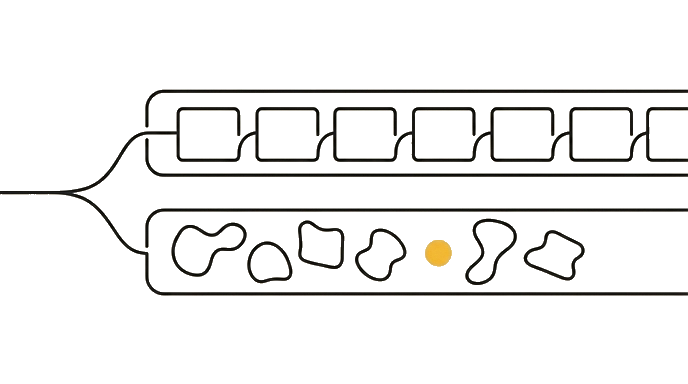
One test sorts every task: can you describe what "done correctly" looks like in a single sentence? If yes, Computer Use is reliable, forms, exports, navigating to a page, copying structured data. If no, it is a judgment call and you stay in control.
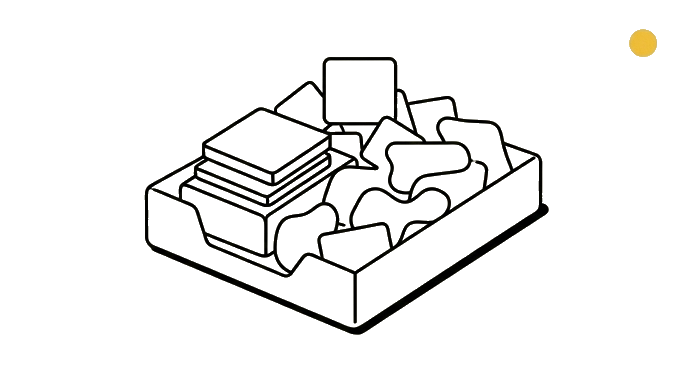
"The form is submitted with these five fields filled" is a clear success state, so Computer Use does it well. "Pick the best-looking photo for the homepage" has no checkable answer, so that call is yours.
Tasks that bounce between several windows are also shaky, because each window switch is a chance to lose track. The pattern to internalize: delegate the mechanical and well-defined, keep the subjective and ambiguous.
Here is the before and after: Good fit: "Go to the supplier portal, download every April invoice, save them to this folder." One checkable result.
Poor fit: "Browse these three product pages and tell me which feels most premium." A taste judgment with no checkable answer.
Now try it: write down two tasks you do regularly. For each, ask the one-sentence success-state question, then sort one into "Computer Use can do this" and one into "I stay in control."
Delegate what has a checkable right answer, keep what needs your judgment, and the success-state question tells you which is which.
Try it (10 min)
Watch out for
- Handing Computer Use a subjective task ('pick the best one') that has no checkable right answer
- Trusting it on workflows that hop between many windows; each switch is a place it can lose context
- Skipping the one-sentence success-state test; that test is the fastest way to sort a task correctly
- Assuming reliable-for-forms means reliable-for-everything; the reliability is tied to task clarity, not the feature being magic
- Delegating a high-stakes action with no clear checkpoint just because it is mechanical
Paste this into Claude
Help me decide which of my recurring tasks are a good fit for Computer Use and which I should keep doing myself.

Here are five tasks I do regularly:
1. Download all of last month's invoices from a vendor website into a folder
2. Choose which three of twenty photos best represent our brand for a newsletter
3. Fill out the same weekly status form with numbers I give you
4. Decide whether a draft email sounds too harsh before I send it
5. Copy a table of data from a dashboard into a spreadsheet

For each task:
- Tell me if it has a clear, checkable success state (yes or no) and why.
- Sort it into "good fit for Computer Use" or "keep in my control."
- For the keep-in-control ones, say what kind of judgment makes them unsuitable.
What good looks like
- Tasks 1, 3, and 5 are sorted as good fits with a clear success state named for each
- Tasks 2 and 4 are sorted as keep-in-control because they require taste or tone judgment
- Each verdict ties back to whether 'done correctly' can be described in one sentence
- The reasoning would let you sort a sixth task on your own
When this breaks
- Breaks when the task needs visual judgment, because Computer Use has no checkable target to aim at, so it guesses and you cannot tell whether the guess was right.
- Breaks when a workflow requires switching across several windows, because context can be lost at each switch, so a task that looked mechanical drifts off course midway.
AI can help with this
In Cowork, type: 'Here are three tasks I do weekly: [list them]. For each, tell me whether it has a clear success state I could describe in one sentence, and whether you would be reliable at it or whether I should keep it in my own hands.'
You can now
You can complete the lesson outcome in a real Claude chat, Project, Artifact, Connector, Desktop, or Code surface.
- You can verify that tasks 1, 3, and 5 are sorted as good fits with a clear success state named for each.
- You can verify that tasks 2 and 4 are sorted as keep-in-control because they require taste or tone judgment.
- You can verify that each verdict ties back to whether 'done correctly' can be described in one sentence.
- You can verify that the reasoning would let you sort a sixth task on your own.
Key takeaways
Computer Use is reliable when the task has a clear success state you can describe in one sentence. It is unreliable for judgment calls and multi-window juggling. Delegate the mechanical, keep the subjective.
- Apply the one-sentence success-state test; if you can define done, Computer Use can usually do it.
- Delegate well-defined mechanical tasks like forms, exports, downloads, and structured copying.
- Keep subjective and taste-based decisions in your own hands; they have no checkable answer.
- Treat multi-window context switching as a risk zone where reliability drops.
Go deeper