GitHub for non-developers: reading repositories without writing code
Where code lives, explained so you can follow along
After this, you'll be able to describe what GitHub is, point Claude at a repository, and get a plain-English explanation of what the code does and what recent changes mean, without writing code.
Before you start
Complete Claude Code CLI first; this lesson builds on that surface tour by showing where the code itself lives, GitHub, and how Claude reads it for you.
The idea
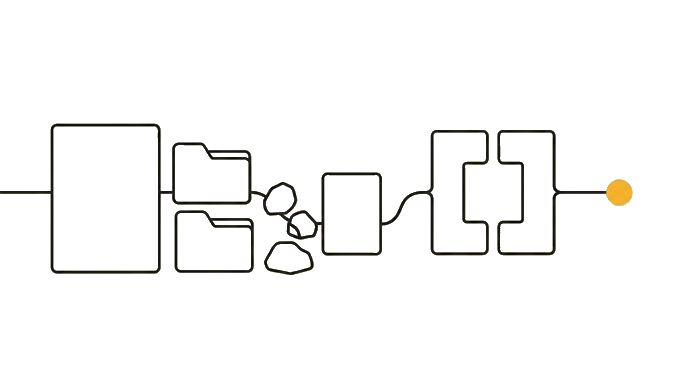
GitHub is where code is stored and reviewed, and Claude can read a repository and explain it in plain English. You do not need to write code to use Claude with GitHub. It is a bit like a shared drive built specifically for code, with a full history of every change.

A repository, often shortened to "repo," is one project's folder on GitHub. Developers live in GitHub all day; non-developers usually treat it as a locked room. It does not have to be, because Claude reads what is in there and translates it for you.
Here is the before and after: Before, a colleague sends you a GitHub link, you see folders, files full of symbols, and a "Pull requests" tab with numbers that mean nothing, and you close it. After, you paste that link into a Claude chat with web search turned on, ask "what does this project do, and what changed recently," and get a plain-English overview you can reply with. If Claude says it cannot reach the link, open the repo's README, copy the text, and paste that instead.
Now try it: find a public GitHub repository, even one for a tool you already use, copy its web address, and ask Claude "explain in plain English what this project does and who would use it." If web search is off, paste the README text instead of the link.
GitHub is a place Claude reads for you, not a skill you lack.
Try it (9 min)
Watch out for
- Closing a GitHub link because it looks technical. With web search on, Claude can read a public repo, and if it cannot, pasting the README text gives it the same plain-English starting point.
- Assuming you must understand the code to understand the project. Ask Claude what it does and who uses it instead.
- Pasting a private repository link and expecting Claude to read it without access. Public repos and shared access work; locked ones do not.
- Trusting a summary of fast-moving changes without checking the date. Ask when the latest change happened so you are not repeating stale information.
- Treating GitHub as something you need an account to even look at. Most open projects are readable by anyone.
Paste this into Claude
A colleague sent me a GitHub repository link and I do not read code. I want to understand it without bothering anyone. Here is the link:
[paste the GitHub repository URL here]

Please:
1. First, explain in plain English what "GitHub" and a "repository" are, with an everyday comparison.
2. Then explain what this specific project does and who would use it.
3. Summarize what has changed recently, if you can tell, in language I could repeat to a non-technical manager.
4. Flag one thing I could ask the developers about that would make me sound informed.

Assume zero coding knowledge. Explain every term as you use it.
What good looks like
- Claude explains 'GitHub' and 'repository' with a plain-English comparison
- You get a clear description of what the linked project does and who uses it
- Recent changes are summarized in language a non-technical person could repeat
- Claude suggests one informed question you could ask the developers
When this breaks
- Breaks when you point Claude at a private repository it cannot access because Claude can only explain code it can actually read, so it has nothing to work from.
- Breaks when you ask 'how does this code work' line by line because that drags you into developer territory; the useful questions are what it does, what changed, and who uses it.
AI can help with this
With web search on, paste this into Claude with a repo link: 'Explain in plain English what this GitHub project does, who uses it, and what changed recently. I do not read code.' If Claude cannot reach the link, paste the repo's README text instead.
You can now
You can complete the lesson outcome in a real Claude chat, Project, Artifact, Connector, Desktop, or Code surface.
- You can verify that claude explains 'GitHub' and 'repository' with a plain-English comparison.
- You get a clear description of what the linked project does and who uses it.
- You can verify that recent changes are summarized in language a non-technical person could repeat.
- You can verify that claude suggests one informed question you could ask the developers.
Key takeaways
GitHub is where code lives and gets reviewed. Claude reads repositories and explains them in plain English, so a non-developer can follow technical projects and join the conversation without writing code.
- Treat GitHub as a shared drive for code, not a skill you are missing.
- Ask Claude what a project does, who uses it, and what changed, not how each line works.
- Check the date on any change summary so you do not repeat stale information.
- Use a public repo link or shared access; Claude cannot read a project it cannot reach.