The platform mental model: how it all fits together
Two sides of Claude, one app that bridges them, one map in your head
After this, you'll be able to map the two sides of Claude (the everyday chat side and Claude Code), explain that the desktop app has Chat, Cowork, and Code surfaces, say which features live where, and explain the whole platform to a colleague in plain language.
Before you start
Complete When you are ready for hands-on coding work first; this lesson builds on that decision by assembling every surface you have met into one complete, two-sided map of the platform.
The idea
Claude has two sides, and one app bridges them. The everyday chat side has two ways in: the web app at claude.ai and the desktop app on your computer. Claude Code is the other side: one coding tool reached through several surfaces.
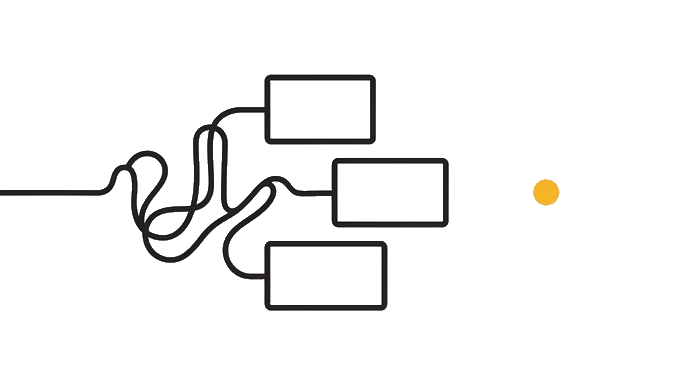
Here is the part that trips everyone up. The desktop app is one program with three tabs: Chat, Cowork, and Code. Chat is everyday conversation, Cowork is a paid background worker that runs scheduled tasks on your desktop (the app stays open and the computer awake) while you do other things, and Code is Claude Code in click-through form.
That Code tab is the catch. It is one Claude Code surface, which is why the app touches both sides. Other surfaces include the terminal, supported IDEs such as VS Code and JetBrains, and mobile or remote-control paths where your plan exposes them.
So the features sort cleanly once you see it. Conversations, Projects, Artifacts, and Connectors live on the everyday chat side, shared by the web app and the desktop Chat tab. The Cowork tab is its own job, not part of that chat side: a paid background worker that runs tasks on your desktop while the app stays open. Claude Code's surfaces are a third job again, require Claude Code access, and work on real code.
Here is the before and after: Before, "Claude Code," "Cowork," and "the desktop app" blurred into one confusing pile, because the same app kept showing up on both sides. After, someone says "scheduled task" and you place it on the desktop app's Cowork tab, and "Claude Code" sends you to ask "which of the several surfaces."
Now try it: explain it to a colleague, or to Claude, in under two minutes. Say "the everyday side is the web app plus the desktop app, the desktop app has Chat, Cowork, and Code surfaces, and Claude Code is one tool with several surfaces, one of which is that Code tab."
Two sides bridged by one app, and holding that is how you understand the whole platform.
Try it (10 min)
Watch out for
- Counting the desktop app three times. It is one program with three tabs (Chat, Cowork, Code), not a chat app plus a separate Code app.
- Counting Claude Code's several surfaces as separate products. They are one tool; when someone says 'Claude Code,' ask which surface, and remember the desktop app's Code tab is one of them.
- Mistaking Cowork for the Chat tab. Chat matches the web app; Cowork is a paid background worker that runs scheduled tasks on your desktop, app open and computer awake, while you do something else.
- Memorizing the names without the jobs. The map is only useful if you can match a task to the right side and surface.
- Treating this as the end of learning rather than the foundation. The map is what lets you pick any vertical track next.
Paste this into Claude
I have finished a track on the whole Claude platform and I want to prove to myself that the mental model stuck. Act as a colleague who has never used Claude and quiz me. Please:

1. Ask me to lay out the two sides of Claude: the everyday side (the web app at claude.ai, plus the desktop app, which has Chat, Cowork, and Code surfaces) and Claude Code (one tool reached through several surfaces: terminal, supported IDEs such as VS Code and JetBrains, the desktop Code tab, and mobile or remote-control surfaces where your plan exposes them).
2. Press me on the overlap: ask me why the desktop app shows up on both sides, and make sure I say its Code tab is one of Claude Code's several surfaces.
3. For each surface I name, ask me what it is for and one feature that lives there.
4. Then give me a task (like "summarize my Google Drive files every Monday" or "have a developer's tool understand a pull request") and ask me which side and surface I would use.
5. Score me at the end and tell me which parts I was fuzzy on.

Be a tough but fair quizmaster. Correct me when I am wrong.
What good looks like
- You can lay out the two sides, name the desktop app's Chat, Cowork, and Code surfaces, and name Claude Code's supported surfaces without looking back
- You can explain that the desktop app's Code tab is one of Claude Code's several surfaces, so the app touches both sides
- You can state what each surface is for and one feature that lives there
- Given a task, you pick the correct side and surface, and Claude flags any part you were fuzzy on
When this breaks
- Breaks when you file the desktop app as two separate programs, one for chat and one for code, because it is a single app with three tabs, and its Code tab is literally one of Claude Code's several surfaces.
- Breaks when you collapse the platform back into 'Claude is a chat box' because that hides the Cowork tab's paid desktop background work and the whole Claude Code side, the parts that separate fluent users from beginners.
AI can help with this
Paste this into Claude: 'Quiz me on the two sides of Claude. Ask me to name the desktop app's Chat, Cowork, and Code surfaces and Claude Code's supported surfaces, explain that the Code tab is one Claude Code surface, say what each is for, and pick the right side for a task you give me. Score me at the end.'
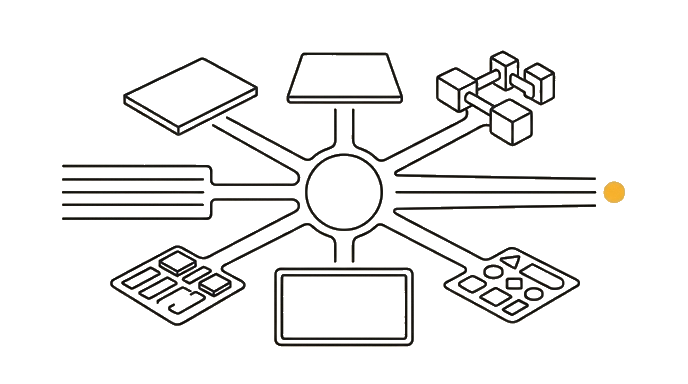
You can now
You can complete the lesson outcome in a real Claude chat, Project, Artifact, Connector, Desktop, or Code surface.
- You can lay out the two sides, name the desktop app's Chat, Cowork, and Code surfaces, and name Claude Code's supported surfaces without looking back.
- You can explain that the desktop app's Code tab is one of Claude Code's several surfaces, so the app touches both sides.
- You can state what each surface is for and one feature that lives there.
- You can verify that given a task, you pick the correct side and surface, and Claude flags any part you were fuzzy on.
Key takeaways
Claude has two sides bridged by one app. The everyday side is the web app plus the desktop app, and the desktop app has Chat, Cowork, and Code surfaces. Claude Code is one coding tool reached through several surfaces, and the desktop app's Code tab is one of them. Holding that map means you understand the whole platform.
- Split the platform into two sides, the everyday side and Claude Code, bridged by the one desktop app.
- Name the desktop app's Chat, Cowork, and Code surfaces and Claude Code surfaces: terminal, supported IDEs, desktop Code tab, and mobile or remote-control paths where your plan exposes them.
- Remember the desktop app's Code tab is one of Claude Code's several surfaces, which is why the app touches both sides.
- Place each feature: Projects and Connectors on the everyday chat side, the Cowork tab's paid desktop background work and scheduled tasks (app open and computer awake) in its own tab, real code work across Claude Code surfaces.