Sharing Claude with your team: what needs setup and what doesn't
Plan-level access is shareable; your personal Projects are not
After this, you'll be able to separate what is plan-level and shareable from what is account-level and personal, so a team rollout does not stall on a wrong assumption about Projects.
Before you start
Complete Understanding your plan: what Pro includes and what comes next first; this lesson builds on that tier map, because sharing with a team is the point where plan-level seats and account-level setup pull apart.
The idea
A seat grants a person access to Claude, but the Projects you build stay on your individual account by default. Their Instructions and Knowledge files do not travel with the seat. Mixing these two up is the most common team-rollout mistake.
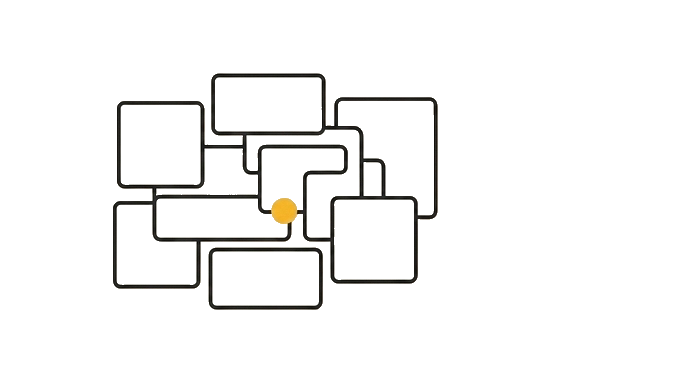
People assume a Project is a shared folder the whole team can open, the way a Google Drive folder works. It is not. A Project is a per-account context container, not a collaboration space, unless your plan provides a way to share it.
Here is the before and after: Without this distinction, a lead builds one "Client Onboarding" Project, tells five colleagues to use it, and is confused when each sees nothing. With it, the lead shares the underlying material (exports the Instructions and Knowledge files for each teammate to rebuild their own) or moves the team onto a Team plan where sharing is built in.
Now try it list what you want your team to share, then ask Claude to sort each item into "shared by giving everyone a seat" versus "personal to one account, copy it instead."
Plan for what is actually shareable, and you skip the rollout stall every team hits first.
Try it (12 min)
Watch out for
- Treating a Project like a shared Google Drive folder; by default it lives on one account and your teammates will not see it
- Telling the team to 'use my Project' instead of giving each person the Instructions and Knowledge Files to recreate their own
- Assuming buying seats automatically shares everyone's Projects; seats grant access to Claude, not to each other's personal setups
- Rolling out to everyone before confirming what your specific plan supports for sharing, then discovering the gap mid-rollout
- Forgetting that Memory is per-account, so each teammate's Memory builds from their own chats and starts blank even on a shared plan
Paste this into Claude
I want to roll Claude out to my team and I need to know what is actually shareable versus what each person has to set up on their own. Here is my situation:

TEAM SIZE: [e.g. "5 people, none of them technical"]

WHAT I WANT EVERYONE TO HAVE:
- [e.g. "the same Project Instructions for how we write client emails"]
- [e.g. "the same Knowledge File with our brand voice guide"]
- [e.g. "Claude access in general"]

Please:
1. For each item, tell me whether it is plan-level (granted by giving someone a seat) or account-level (personal to one user and must be copied, not shared)
2. Explain in plain English what a Team plan would change about this
3. Give me a step-by-step rollout sequence for getting all five people set up with the same Claude context, in the right order
4. Flag the single most likely thing to go wrong and how to avoid it
What good looks like
- Claude sorted each item into plan-level (seat-based) or account-level (personal) correctly
- Claude explained what a Team plan changes without jargon
- Claude gave you an ordered rollout sequence, not a vague list
- Claude named the most likely failure point and a way around it
- You can explain to a colleague why a Project is not a shared folder by default
When this breaks
- Breaks when you assume account-level work is plan-level because you share a link to your personal Project and teammates see nothing, since the Project never belonged to the team in the first place.
- Degrades when you scale a rollout before testing the sharing path with one person because a wrong assumption that worked for you alone fails quietly for everyone else at once.
AI can help with this
Paste this: 'I want to roll Claude out to [team size]. I want everyone to have [list items, e.g. the same Project Instructions, a shared brand-voice file, access]. For each, tell me if it is plan-level (granted by a seat) or account-level (personal, must be copied), explain what a Team plan changes, and give me an ordered rollout sequence.'
You can now
You can complete the lesson outcome in a real Claude chat, Project, Artifact, Connector, Desktop, or Code surface.
- You can verify that claude sorted each item into plan-level (seat-based) or account-level (personal) correctly.
- You can verify that claude explained what a Team plan changes without jargon.
- You can verify that claude gave you an ordered rollout sequence, not a vague list.
- You can verify that claude named the most likely failure point and a way around it.
Key takeaways
Seats share access to Claude; they do not share your personal Projects. Distinguish plan-level from account-level before a rollout, and copy what cannot be shared.
- Access is plan-level and seat-based; the Projects you build are account-level and personal by default.
- Do not tell a team to 'use my Project'; give each person the Instructions and Knowledge Files to build their own.
- A Team plan changes how sharing works; confirm exactly what yours supports before rolling out.
- Test the sharing path with one teammate before scaling, because wrong assumptions fail quietly at scale.