Memory: what it is, what it stores, and how to control it
A daily summary in Settings, and yours to edit, pause, or reset
After this, you'll be able to read the summary Claude keeps about you, edit it or pause it, and reset it entirely, so you control what Claude remembers across all your conversations.
Before you start
Complete Knowledge files: what to upload and why first; this lesson builds on that Project-scoped context by introducing Memory, the separate system that builds a summary across all of your conversations.
The idea
Memory is a written summary Claude builds of your past chats, and it refreshes about once a day. Where Projects hold context you set up on purpose, Memory works in the background: Claude reads across your conversations and writes a synthesis of what matters about your work, so a new chat opens already knowing the gist.
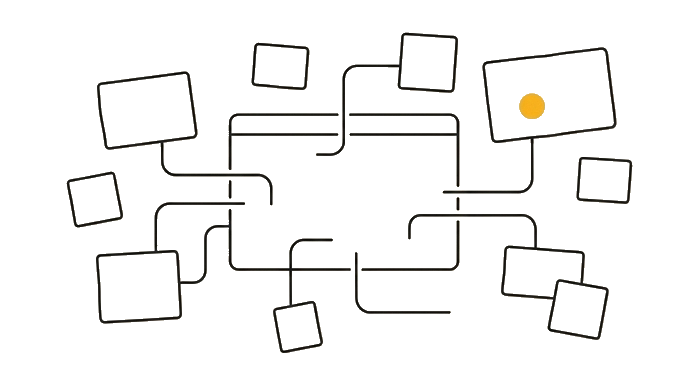
It is not a list of separate facts you add one by one, and it is not a transcript of everything you type. To change it, open Settings, find the Memory summary, and either click the pencil to edit the text yourself or just tell Claude in chat what to remember or drop. Two controls sit above it: Pause keeps the current summary but stops new updates, and Reset deletes the whole thing for good.
Here is the before and after: Before, someone hears "Claude has memory now," pictures a hidden recorder, and avoids it. After, they open the summary, read the paragraph Claude wrote ("works in healthcare, prefers concise answers, based in the UK"), edit the line that is out of date, and decide whether to leave it running or pause it.
Now try it: open Settings, find your Memory summary, read what Claude has written about you, then edit one line with the pencil and note where the Pause and Reset controls are.
Memory is one summary Claude writes and refreshes daily, and you can edit it, pause it, or reset it.
Try it (10 min)
Watch out for
- Picturing a hidden recorder; Memory is one written summary Claude builds from your chats, and you can read the whole thing in Settings
- Forgetting it does read your everyday chats; the summary is drawn from your normal conversations (not incognito chats and not chats inside Projects) and refreshes about once a day, so check what it captured
- Never opening Settings to read the summary; if you do not look, you cannot know what Claude assumes about you or fix a line that is wrong
- Leaving an outdated line in place ('based in London' after you moved); a stale summary quietly skews future answers until you edit it
- Confusing Memory with Project Knowledge Files; Memory is one summary of your everyday chats, Knowledge Files are documents scoped to one Project
Paste this into Claude
I want to understand and control what you remember about me. Walk me through it as if I have never opened my Memory summary.

Please answer in plain language:
1. In one or two sentences, what is the Memory summary, how is it built from my past chats, and how often does it refresh?
2. Where in Settings do I go to read the summary you have written about me?
3. What are the two ways to change the summary, editing the text myself versus telling you in chat what to remember or drop?
4. What is the difference between pausing Memory and resetting it, and when would I use each?

Then give me a short checklist I can run once a month to keep my Memory summary accurate and free of anything I would rather not keep.
What good looks like
- Claude explained that Memory is a summary built from your past chats and refreshed about every 24 hours, not a transcript
- You opened Settings and read the Memory summary Claude has written (or confirmed it is empty)
- You know both ways to change it: edit the text with the pencil, or tell Claude in chat what to remember or drop
- You know the difference between Pause (keep the summary, stop updating) and Reset (delete it for good)
- You have a short monthly checklist for reviewing what the summary says
When this breaks
- Breaks when you expect a verbatim recall, because Memory is a summary Claude writes in its own words, so a small detail you mentioned once may be generalized or left out rather than quoted back exactly.
- Breaks when you never read the summary, because it refreshes about once a day from your chats, so an outdated or wrong line persists and silently shapes replies until you edit it.
AI can help with this
Paste this into Claude: 'Explain in plain language what your Memory summary is, how it is built from my past chats, and how often it refreshes. Tell me where I read it in Settings, the two ways to change it, and the difference between Pause and Reset. Then give me a short monthly checklist for keeping it accurate.'
You can now
You can complete the lesson outcome in a real Claude chat, Project, Artifact, Connector, Desktop, or Code surface.
- You can verify that claude explained that Memory is a summary built from your past chats and refreshed about every 24 hours, not a transcript.
- You opened Settings and read the Memory summary Claude has written (or confirmed it is empty).
- You know both ways to change it: edit the text with the pencil, or tell Claude in chat what to remember or drop.
- You know the difference between Pause (keep the summary, stop updating) and Reset (delete it for good).
Key takeaways
Memory is one summary Claude builds from your past chats and refreshes about once a day, and you stay in control. Read it in Settings, edit the text with the pencil or just tell Claude what to change, pause it to freeze it, or reset it to wipe it. It is a summary you shape, not a hidden recorder.
- Understand that Memory is one written summary built from your past chats, not a transcript and not a list of separate facts.
- Know it refreshes about once a day from your everyday conversations (not incognito chats and not chats inside Projects), so read it to see what Claude assumes about you.
- Change it two ways: edit the summary text with the pencil, or tell Claude in chat what to remember or drop.
- Use Pause to keep the summary but stop new updates, and Reset to delete it for good; both are valid choices.
- Keep Memory (one summary of your everyday chats) separate from Knowledge Files (documents scoped to one Project).
Go deeper