Part of the Level 1 core path · Lesson 1 of 5
Ask Like a Real Human
After this, you'll be able to write a prompt that gives Claude enough context to respond the way a helpful colleague would.
Before you start
Before diving in, complete Ask Claude to Remember Things so you arrive with persistent context already working and can focus on prompt structure instead of setup.
The idea
Most people type into Claude the same way they type into Google: short keywords, no context. That works for search engines because Google is looking for a matching page, not trying to understand your situation. Claude is doing something different. It is predicting the most useful response to everything you wrote. Give it keywords and it predicts a keyword-level answer. Give it a real situation and it predicts a real answer.
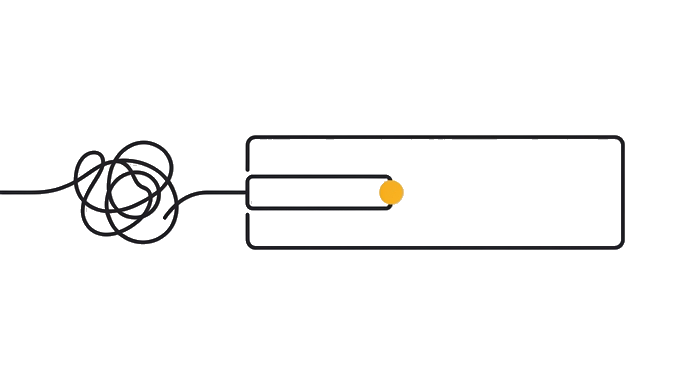
Here is the before and after: Someone types: 'Help me write a performance review.' Claude produces a generic template. The same person types: 'I manage a 4-person design team. I need to write a performance review for a senior designer who consistently does great work but misses deadlines. The review goes to HR and should be professional, honest, and constructive. Keep it under 300 words.' Claude now has role, context, the specific challenge, the audience, the tone, and the length. The second version takes about 45 extra seconds to write and produces something that is actually usable.
Think of Claude as a smart new colleague on their first day. They are capable, but they know nothing about your world. You would not hand a new colleague a sticky note that says 'email.' You would give them a two-minute brief. That brief is your prompt. Two to four specific sentences, covering what you need, who you are, and what a good result looks like, is usually enough to unlock a response that requires no rewriting.
The 'what good looks like' piece is the most commonly skipped. Without it, Claude guesses. It almost always guesses wrong about length, tone, or format.
Try it (10 min)
Watch out for
- Treating Claude like a search bar. Keywords get keyword-quality answers. That is not a Claude problem. That is an input problem.
- Skipping the 'what good looks like' part. Without it, Claude picks a default format and tone that may have nothing to do with what you need.
- Over-explaining with long paragraphs. Two to four specific sentences beats one vague page of background. Precision matters more than length.
- Describing the output you want instead of providing context. 'Give me a short professional email' is weaker than 'I am a freelance designer emailing a client who is two weeks late on payment.'
Paste this into Claude
I need help with [describe the actual task in one sentence]. Here's the context: I am [who you are or what role you're in]. The situation is [what's happening and why this task matters right now]. A good result for me would [describe what success looks like, even roughly]. Please keep your response [short and direct / detailed with examples / in bullet points, whichever fits].
What a good response looks like
Here's a performance review for your senior designer, Marcus, that is honest and constructive without being harsh:

'Marcus consistently delivers work that raises the bar for the team. His concepts are original, his execution is polished, and his instincts for what the client actually needs are sharper than anyone else on the design team. The one area that needs attention this year is delivery timing. On three of our six major projects, final assets arrived one to three days after the agreed date, which created downstream pressure on the development team. Marcus is aware of this and we have discussed it directly. The goal for next year is maintaining the same quality bar while hitting 90% of milestones on time. I am confident he can do both.'

This is 113 words. Want me to add a section on goals for next year or adjust the tone to be slightly more or less direct?
What good looks like
- You wrote a prompt with at least three pieces of context: what you need, who you are, and what a good result looks like
- The response felt tailored to your situation rather than generic
- You would actually use or share the response without major rewrites
- You included the 'what good looks like' piece, not just the task description
- You ran the same task with a short keyword version and a full-context version, and the difference was obvious
When this breaks
- Breaks when the task has no clear audience or success criterion, because Claude has no way to choose between a one-line reply and a five-paragraph essay and will default to something generic.
- Breaks when you describe the output format without describing the situation, because format alone (a short email, a bullet list) cannot carry the voice and judgment that come from knowing who you are and what you are trying to accomplish.
AI can help with this
Paste your original short prompt into Claude and say: 'Rewrite this as a fuller request that gives you more to work with. What context would you need from me?' Claude will show you exactly what it was missing. You do not have to figure that out yourself.
You can now
Write a prompt of two to four sentences that names your role, the situation, and what a good result looks like, and produce a response usable without major rewrites.
Key takeaways
Give Claude the context you would give a smart new colleague on their first day. Two to four sentences, covering task, situation, and what good looks like.
- Give Claude a colleague-style brief, not a search query: task, situation, and what good looks like in two to four sentences.
- The 'what good looks like' piece is the most commonly skipped and the one that fixes generic outputs the fastest.
- Precision beats volume. Two specific sentences outperform a long, vague paragraph every time.
- Describing context (your role and situation) is stronger than describing format. Context drives voice and judgment.
Go deeper