A landing page from brand screenshots
After this, you'll be able to give Claude Design screenshots of your existing brand and have it build a landing page that matches your look, instead of starting from a blank, generic page.
Before you start
Complete Export to PPTX, Google Slides, or Canva first; you've built and exported decks, and this lesson moves the same describe-and-match skill onto a full web page.
The idea
*A landing page is a single web page built around one goal, like getting people to sign up or buy. Claude Design can build one that already looks like your brand, if you show it a few screenshots first. A screenshot* is a captured picture of something on your screen, like your current website or your social profile.
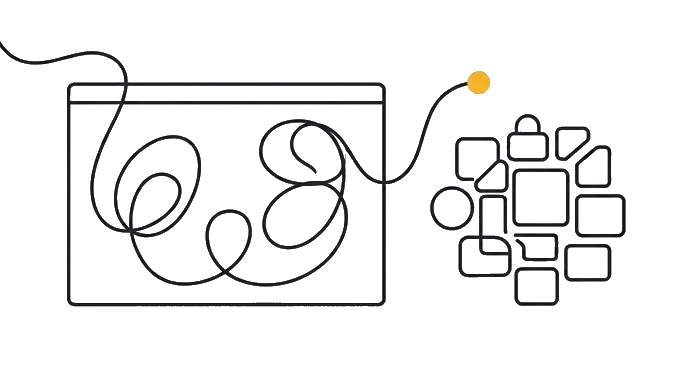
This is the fastest way to a page that feels like yours from the very first build. Instead of describing your colors and fonts in words, you show Claude the real thing and ask it to match.
What to screenshot is whatever already carries your brand. Your existing website. Your Instagram or LinkedIn page. A flyer or a product photo. Even a competitor's page you admire, as a reference (an example of the direction you want, not something to copy outright).
You drop those images into Claude Design with your request, and it reads the colors, fonts, and feel straight off the pictures.
Here is the before and after: Someone types "make me a landing page for my gym" with no images, and gets a generic fitness page in colors that are not theirs. Someone else attaches three screenshots, their logo, a photo of the gym, their Instagram grid, and says "build a landing page that matches this brand." The first build already looks like their gym, not a stock template.
A strong prompt with screenshots still names the basics from the earlier modules. The goal of the page (book a free trial). The audience (busy locals new to lifting). The sections (hero, classes, pricing, a sign-up). The screenshots add the look; your words add the purpose. Together they get you a build that is on-brand and on-message at once.
Why show instead of tell comes down to accuracy. Your brand has an exact feel that is hard to put in words but easy to recognize in a picture. Handing Claude the picture removes the guesswork, so the page lands closer on the first, most valuable build.
Show Claude your brand in a few screenshots, then ask for a landing page. You get a page that looks like your business from the very first build.
Try it (10 min)
Watch out for
- Building with no images, then trying to recolor the whole page to your brand later. Attach screenshots up front so the first build is already on-brand.
- Attaching a competitor's page without saying it's inspiration. Tell Claude to use it for direction only and keep everything in your own brand and words.
- Letting screenshots replace your words entirely. Images carry the look, but Claude still needs you to name the goal, audience, and sections.
- Using blurry or tiny screenshots. Clear, full images let Claude read your colors and fonts accurately; a fuzzy one makes it guess.
Paste this into Claude
I want Claude Design to build me a landing page that already looks like my brand, using screenshots instead of me describing every color and font.

My business: [DESCRIBE IT, e.g. "a neighborhood gym offering small-group classes"].
What I can screenshot: [LIST WHAT YOU HAVE, e.g. "my current website, my Instagram page, my logo, a photo of the space"].

Please:
1. Tell me which screenshots are worth attaching and what each one helps Claude understand (colors, fonts, mood, real photos).
2. Write me one rich prompt I can paste in alongside the screenshots that names the page's goal, audience, and sections, and asks Claude to match the brand from the images.
3. Tell me one thing to say so Claude treats a competitor screenshot as inspiration, not something to copy outright.
What a good response looks like
Here's your screenshot-driven landing page plan, for the gym:

**1. Worth attaching:**
- Your website: carries your current colors and fonts.
- Your Instagram grid: shows your real mood and photo style.
- Your logo file: gives Claude your mark and accent colors.
- A photo of the space: real imagery beats stock, so the page feels true.

**2. Paste this alongside the screenshots:**
"Using these screenshots as my brand, build a landing page whose goal is booking a free trial class. Audience: busy locals new to lifting who feel intimidated by big gyms. Sections: a warm hero with the studio name and 'Small classes, zero intimidation,' a classes overview, simple pricing, real testimonials, and a free-trial sign-up. Match the colors, fonts, and feel from the images."

**3. For a competitor screenshot:**
Add: "Use this competitor page only as inspiration for layout and energy, not to copy. Keep everything in my own brand and words."
What good looks like
- You can name a few things worth screenshotting to convey your brand (site, social, logo, real photos)
- You understand screenshots carry the look while your words carry the goal, audience, and sections
- You have a prompt ready that combines screenshots with a clear page purpose
- You can phrase a competitor screenshot as inspiration rather than something to copy
When this breaks
- Breaks when you describe your brand in words you find hard to pin down. A brand's exact feel is easier to show than to say, so a screenshot beats a paragraph of adjectives.
- Breaks when you attach a brand but forget the page's job. Claude will match your look perfectly and still build the wrong page if you never state the goal and audience.
AI can help with this
Not sure which screenshots carry your brand best? Inside Claude Design, attach a few and ask: 'which of these best shows my brand, and what should I add to fill the gaps?' Claude tells you what it can read from the images and what it still needs.
You can now
You can complete the lesson outcome in Claude Design or in the supporting tool the lesson names.
- You can name a few things worth screenshotting to convey your brand (site, social, logo, real photos).
- You understand screenshots carry the look while your words carry the goal, audience, and sections.
- You have a prompt ready that combines screenshots with a clear page purpose.
- You can phrase a competitor screenshot as inspiration rather than something to copy.
Key takeaways
Show Claude Design a few brand screenshots and it builds a landing page that matches your real look from the first build. The images carry the look; your words carry the goal, audience, and sections.
- A landing page is a single web page built around one goal, like sign-ups or sales.
- Screenshots of your site, social, logo, and real photos hand Claude your brand directly.
- Showing your brand in a picture beats describing it, because a brand's feel is hard to word.
- Pair the screenshots with a prompt that names the page's goal, audience, and sections.
- Mark any competitor screenshot as inspiration only, so Claude keeps everything in your brand.
Go deeper