Create a Cowork Project that runs a recurring workflow
After this, you'll have one Cowork Project created via the path that fits your starting point, with 5 to 8 lines of custom instructions, one populated workflow folder, and a Scheduled Task firing on a cadence you chose.
Before you start
Complete Set up your Cowork folder so Claude knows you on day one first; this lesson wraps that folder in a Project and adds Scheduled Tasks on top, so you need the about-me.md and anti-ai-writing-style.md files already in place.
The idea
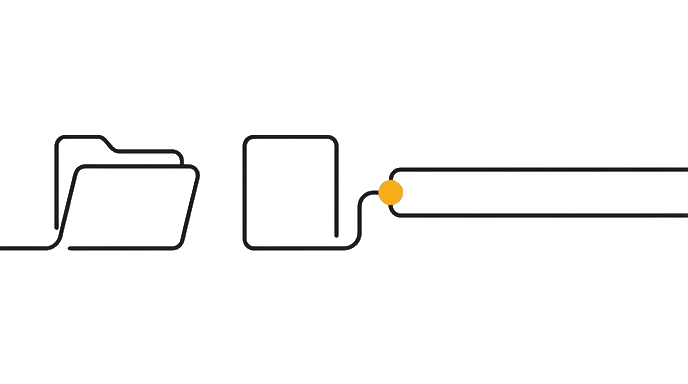
A Cowork Project turns a folder into a workspace with its own memory, built-in instructions, and Scheduled Tasks that run a workflow on a clock. A Cowork Project is a workspace inside the desktop app. It wraps a folder with three things browser Claude does not have: its own scoped memory (it remembers things inside this one Project but forgets them everywhere else), custom instructions (a few standing rules baked into the Project), and Scheduled Tasks (prompts that run on a clock while the app stays open).
Memory is scoped on purpose. The Project remembers within itself and forgets across boundaries, so the newsletter Project does not accidentally read your client research.
Here is the before and after: without a Cowork Project, each session starts blank: Claude reads nothing from your folder, has no standing rules for the workflow, and needs you present to run each step. With a Project, Claude reads your folder before the first message, follows custom instructions for every task, and a Scheduled Task runs the workflow on a clock while you sleep.
The three creation paths: (1) start from scratch, a new folder with new instructions; (2) import a browser Project, where Claude pulls your custom instructions and uploaded files into a local copy; (3) point at an existing folder you already use. Same Project shape, three on-ramps, so use whichever matches your starting point. Migrating a browser Project that already holds your team playbook is the fastest path if one exists.
The pattern this lesson teaches uses a weekly newsletter as the worked example, because most readers have one (or the same shape under a different label: weekly report, client update, sales digest). The folder holds five things: your about-me.md from Lesson 1, an anti-AI writing guide, 5 past newsletters Claude can match voice against, reference material, and official company docs.
Custom instructions stay tight, 5 to 8 lines: match voice exactly, no banned words, keep paragraphs under 3 sentences, and always ask first using AskUserQuestion (Claude's built-in picker that pops up multiple-choice questions for you to tap). The Scheduled Task fires every Monday at 8am from one line of prompt, and you walk in to a markdown draft (a plain text file with light formatting, the kind any notes app opens).
Three other workflows fit the same shape with different folder contents and instructions: client deliverables (a template, 2 examples, and a brief, output as a .docx Word file, max 15 pages); sales proposals (a pricing sheet, 3 winning proposals, and an objection playbook, leading with the prospect's pain); weekly operations briefing (the last 4 briefings as pattern reference, a one-page template, and raw inputs dropped in on Mondays). Same Project, same Scheduled Task pattern, different folder.
Now try it: pick which creation path matches your starting point (fresh, import, or existing folder). Build the newsletter Project end to end. Set the Scheduled Task for next Monday morning so you can verify it fired before your week starts.
One Project, one Scheduled Task, and Monday morning arrives with a draft already written.
- The folderYour examples and context live here: about-me.md, an anti-AI writing guide, 5 past newsletters, and reference docs.
- Custom instructions5 to 8 lines of rules: match the voice, skip banned words, keep paragraphs short, ask before writing.
- Scheduled TasksA prompt that fires on a clock, like every Monday at 8am, so you walk in to a finished draft.
Try it (15 min)
Watch out for
- Skipping the AskUserQuestion-first rule in the Project instructions. Without it, scheduled fires generate full drafts on autopilot off whatever topic Claude guesses. The clarification step is what makes the output usable.
- Pasting your client research, voice file, and miscellaneous notes into the newsletter Project to 'be safe'. Scoped memory is the feature. The newsletter Project should hold only newsletter context; client research lives in a different Project.
- Writing 30-line custom instructions. Keep instructions to 5 to 8 lines. The folder carries the heavy context. Long instructions are a tell that you're trying to make Cowork behave like browser Claude.
- Closing the desktop app each night. Scheduled Tasks need the app open to fire. If your Monday 8am newsletter draft is missing, the app was closed overnight.
Paste this into Claude
I created this Cowork Project a moment ago. Read every file in the folder. Then summarize what you know about this workspace: what's here, what I probably use it for, and what instructions you'll follow. If something is unclear, use AskUserQuestion.

(After Claude responds, paste this newsletter-specific follow-up:)

I want to write my next newsletter on [topic]. Start with AskUserQuestion to refine the angle with me before you write anything. Match the voice in the 5 past newsletters in this folder, follow the anti-AI writing guide, and output a markdown draft in the folder.
What a good response looks like
**Project summary after Claude reads the folder:**

I've read the 11 files in this Project. Here's what I found:

WORKSPACE: Weekly Newsletter

Files I'll use as primary context:
- about-me.md: your role (food and beverage strategist), audience (DTC, or direct-to-consumer, founders), voice rules (direct, no jargon, no 'elevate', no 'ideate').
- anti-ai-writing-guide.md: 12 banned phrases, sentence-length cap of 22 words, no rhetorical questions, no em dashes.
- 5 past newsletters: pattern is short intro (1 paragraph) > 3 short sections, each under its own subheading > one specific recommendation > sign-off with first name only.

Files I'll use as supporting reference:
- positioning-frame.md (your strategic POV on the category)
- brand-voice-tracker.md (5 brands you've quoted, 5 you've critiqued)
- recurring-themes.md (3 themes you return to across past issues)

Instructions I'll follow:
1. Match voice exactly to the 5 past newsletters.
2. No banned words from anti-ai-writing-guide.
3. Paragraphs under 3 sentences.
4. Always run AskUserQuestion before writing.
5. Output a markdown draft directly into this folder named newsletter-YYYY-MM-DD.md.

Anything you want me to clarify or override before I start on the next issue?

---

(Then, after you respond to that and ask for a draft on a specific topic, Claude asks:)

Before I write the next newsletter, four quick angle questions:
1. Is this a reaction piece (responding to something this week) or a foundational POV (something you'd reuse for 6 months)?
2. Which audience segment are you writing to: founders pre-launch, founders growth-stage, or operators inside larger brands?
3. Do you want one strong recommendation (your default) or a 3-option breakdown for this one?
4. Should I pull a specific past newsletter as the closest stylistic anchor, or freestyle off the full pattern?
What good looks like
- You have a Cowork Project named for the workflow (e.g. 'Weekly Newsletter') created via one of the three paths: from scratch, imported from a browser Project, or pointing at an existing folder
- The Project folder contains: your about-me.md (from Lesson 1), an anti-AI writing guide, 3 to 5 past newsletter examples, reference material, and any official brand docs
- Custom instructions are 5 to 8 lines: match voice, banned-word list, paragraph length cap, AskUserQuestion-first rule, output format
- On first run, Claude reads the folder, summarizes what it found, and asks 3 to 6 clarifying questions before writing the newsletter draft
- The draft lands in the folder as a markdown file you can edit; it sounds closer to your past newsletters than to default Claude voice
Go deeper (5 min)
Paste this into Claude
(Set this up via the UI, not as a prompt.)

In your new Cowork Project:
1. Click "Scheduled tasks" in the Project sidebar.
2. Click "New".
3. Write the prompt: "Open this Project. Pull this week's topic from [Notion page / email subject / wherever you draft the topic]. Run AskUserQuestion to confirm angle. Then write the next newsletter as a markdown draft in this folder. Stop after the draft is saved. Don't send anything."
4. Pick a frequency: weekly on Monday at 8am (or your cadence).
5. Save.

Then leave Claude Desktop running overnight Sunday so the Monday morning task fires. Walk in Monday to find the draft.
What good looks like
- Scheduled Task is created inside the Project with a prompt that runs end to end without you sitting there
- Frequency matches your real cadence (weekly Monday, biweekly, or your equivalent)
- The prompt explicitly says 'stop after draft is saved, don't send anything' so the scheduled run produces a draft, not an artifact you have not reviewed
- On the next scheduled fire, a markdown draft lands in the Project folder before your work day starts
- If you missed the fire because the Desktop app was closed, you noticed within a day and turned 'app stays open' into your habit
When this breaks
- Breaks when the folder is empty or contains only the brief. Cowork Projects work because they read the folder; with no past examples, no voice file, and no reference material, the output regresses to default Claude voice.
- Breaks when custom instructions try to do the work that the folder should do. Instructions are for rules (banned words, format, length); the folder is for examples and context. Mixing them produces brittle, hard-to-edit Projects.
- Breaks when Scheduled Tasks run without an AskUserQuestion step. On a clock, with no human in the loop, Claude guesses; you walk in to a confidently wrong draft. The clarification step at the start is what makes scheduled runs trustworthy.
AI can help with this
Open Cowork and say: 'Help me set up a Cowork Project for my weekly newsletter. Walk me through the three creation paths, ask which fits my situation, then build the Project with me. Include 5 to 8 lines of custom instructions and one Scheduled Task firing Monday at 8am.' Claude walks you through it.

You can now
You can create one workflow-specific Cowork Project.
- You can keep the Project folder narrow enough for the job.
- You can write 5 to 8 lines of custom instructions that force questions before drafting.
- You can confirm the Scheduled Task appears with the right cadence and stop rule.
Key takeaways
A Cowork Project is one folder, three-to-eight lines of instructions, and one Scheduled Task. Build one for the workflow you do most often, watch the Monday-morning draft appear, then copy the pattern to the next workflow when you trust the first one.
- Cowork Projects add three things to a bare Cowork folder: persistent scoped memory, baked-in custom instructions, and Scheduled Tasks that run while the app is open.
- Three creation paths cover every starting point: from scratch (new folder), import (from an existing browser Project), or use existing folder (your current workspace). Same Project shape, three on-ramps.
- Keep custom instructions tight (5 to 8 lines). The folder carries context; instructions carry rules. Long instructions are a sign you're treating Cowork like browser Claude.
- AskUserQuestion-first is the make-or-break rule for Scheduled Tasks. Without it, Claude guesses on autopilot and you get confidently wrong drafts on a clock.
- Same Project pattern fits four workflows ready to copy: weekly newsletter, client deliverables, sales proposals, weekly operations briefing. Different folder contents, same shape. Ship one, prove the pattern, then copy.