Cowork vs Routines: when to use which
No-code recurring chores versus code-project automation
After this, you'll be able to choose between a Cowork scheduled task and a Claude Code Routine based on whether the recurring task is a no-code chore or is built around a code repository.
Before you start
Complete Combining Computer Use and scheduled tasks first; this lesson builds on having seen Cowork operate software on a schedule, so you can weigh it against the repository-based Routines you learned earlier and choose between them.
The idea
As a non-developer, your hands-off automation lives in Cowork: it is the no-code path for everyday chores, and you never touch a code project. Routines are the developer-adjacent option, tied to a folder of code. So the very first question is not which app, it is whether a code project sits at the center of the task.

A Routine is a Claude Code feature built around a repository (the folder of files that make up a software project), which it reads, updates, and reports on every run. A Cowork scheduled task needs no repository at all; it handles summaries, digests, and reports.
Routines themselves come in two flavors, so you can recognize them: a cloud Routine runs on Anthropic's servers and fires even when your laptop is off, while a local one runs on your own machine. Both are still folder-based developer work, so both stay on the Routine side of the line.
Here is the before and after: Keeping a software project's documentation current every Friday is a Routine, because the task lives inside a code repository. A weekly summary of your Google Calendar is NOT a Routine, even though Calendar has a Connector, because no code project is involved, so it belongs on a Cowork scheduled task.
Now try it: list the recurring tasks you would automate and ask the repository question for each. A code project at the center routes to a Routine; no repository means a Cowork scheduled task, where you then check whether its tool has a Connector (read directly) or only a screen (add Computer Use).
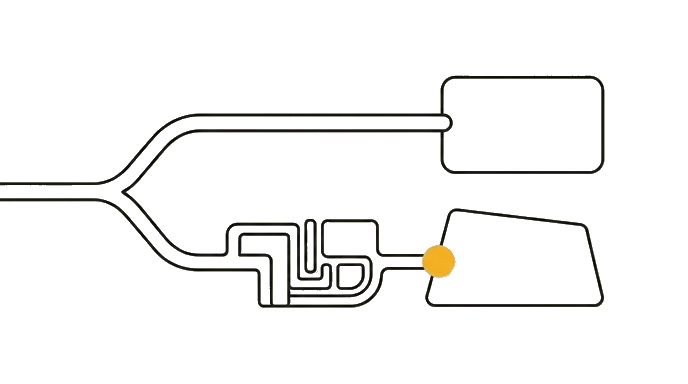
Ask "is there a code repository?" first, because a code project means a Routine and no code project means Cowork, where you then ask "Connector or screen?"
Try it (10 min)
Watch out for
- Sending a connected no-code chore like a Calendar summary to Routines; a Connector does not make it a Routine, the repository does
- Reaching for a Routine for any recurring task; a Routine works inside a code repository every run, so no repository means Cowork
- Treating Routines and Cowork as competitors; they cover different jobs, decided by whether a code project is involved
- Skipping the second question inside Cowork; a Connector reads directly, a screen-only tool needs Computer Use and more supervision
- Picking the surface before asking the repository question; that question is the first gate, not familiarity
Paste this into Claude
Help me decide, for each of my recurring automations, whether to build it as a Claude Code Routine or a Desktop Cowork scheduled task.

The first question I want to apply: is the task built around a code repository (a software project Claude would work inside)? If yes, it is a Routine. If no, it is a no-code chore and belongs on a Cowork scheduled task. Only for the Cowork ones, ask a second question: does its tool have a Connector (read directly) or only a screen (add Computer Use)?

Here are four things I want to automate:
1. A Monday summary of my Google Calendar for the week
2. A weekly documentation update for my team's code project after the week's merged changes
3. A daily digest of new files added to my Google Drive
4. A weekly status pulled from an old internal portal that has no download button and no Connector

For each one:
- First say whether a code repository is at the center of the task.
- Choose "Routine" or "Cowork scheduled task" and explain why in one sentence using the repository question.
- For the Cowork ones, then say whether its tool has a Connector (so Claude reads it directly) or only a screen (so Cowork adds Computer Use), and note that screen-only automation needs more supervision.
What good looks like
- Item 2 is routed to a Routine because it is built around a code repository
- Items 1, 3, and 4 are routed to Cowork scheduled tasks because none involve a code repository, even though Calendar and Drive have Connectors
- Each choice is justified by the repository question first, not by whether a Connector exists
- For the Cowork items, Claude adds the second split: Calendar and Drive read through a Connector, the screen-only portal needs Computer Use
- The reasoning would let you route a fifth task on your own
When this breaks
- Breaks when you route a no-code chore to a Routine, because a Routine works inside a code repository every run, so a task with no repository has nothing for the Routine to operate on and lands on the wrong surface.
- Breaks when you expect a Routine to handle an everyday summary just because the tool has a Connector, because the Connector decides how Cowork reads a no-code chore, not whether the task was ever a Routine.
AI can help with this
Type: 'I want to automate [describe the task and the tool]. Help me decide: is this task built around a code repository, or is it a no-code chore? If it has a repository, it is a Claude Code Routine; if not, it is a Cowork scheduled task, and then tell me whether its tool has a Connector or only a screen. Explain your choice.'
You can now
You can complete the lesson outcome in a real Claude chat, Project, Artifact, Connector, Desktop, or Code surface.
- You can verify that item 2 is routed to a Routine because it is built around a code repository.
- You can verify that items 1, 3, and 4 are routed to Cowork scheduled tasks because none involve a code repository, even though Calendar and Drive have Connectors.
- You can verify that each choice is justified by the repository question first, not by whether a Connector exists.
- You can verify that for the Cowork items, Claude adds the second split: Calendar and Drive read through a Connector, the screen-only portal needs Computer Use.
Key takeaways
Cowork scheduled tasks and Routines both run recurring work, but a Cowork scheduled task is the no-code chore path while a Routine works inside a code repository every run. Ask the repository question first: a code project at the center means a Routine; a no-code chore means Cowork, and only then does Connector-versus-screen decide how Cowork reads it.
- Ask the repository question first: is a code project at the center of the task? Yes means a Routine.
- Route no-code chores (summaries, digests, reports) to Cowork scheduled tasks, even when the tool has a Connector.
- Inside Cowork, ask the second question: a Connector reads directly, a screen-only tool needs Computer Use.
- Remember a Routine can run in the cloud (laptop off) or locally, but either way it works inside a code repository, which is why a no-code chore belongs on Cowork.
Go deeper