Choose the publish surface first
The asset decides the tool
After this, you'll be able to decide whether an AI draft should become a deck, document, PDF, Canva asset, social post, website, or review packet.
Before you start
Complete Tool Crossover first if you use more than one AI tool.
The idea
Publishing starts by naming where the work will be judged.
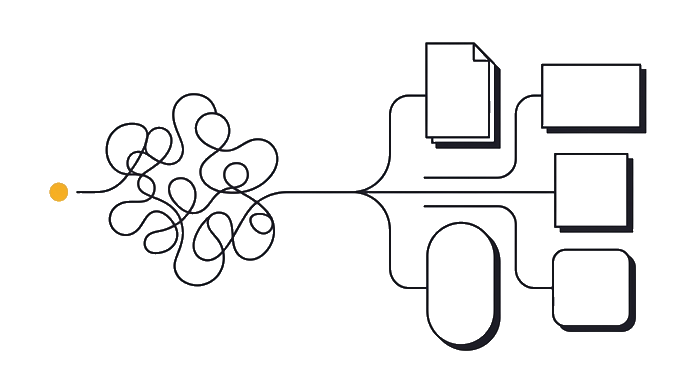
| Deck | Canva | Website | ||
|---|---|---|---|---|
| Proof | Present mode | Open exported file | Format preview | Live route |
| Owner | Presenter | Sender | Social owner | Site owner |
| Risk | Broken flow | Bad export | Wrong size | Public error |
Surface first, tool second.
Surface rule: a draft is not done until it reaches the place people will use it. A deck, PDF, social post, and website each need different proof.
The AI tool can help draft, revise, and package the work. The publish surface decides the checks, file type, brand rules, and approval path.
Worked example: a campaign recap starts in Claude chat. It becomes a PDF for clients, a Canva post for social, and a short page for the team site.
Pick the surface first so the rest of the workflow has one finish line.
Why this matters: publishing mistakes usually happen after the writing is good. The copy sounds ready, so the team skips the surface check. Then the exported PDF crops a legal line, the square post loses a product name, or the website route has the wrong status. The surface check catches those errors before anyone argues about style.
Use one source draft, then create one proof path per surface. The PDF proof is an opened file. The social proof is the exact platform size. The website proof is the live route or preview route. If one asset ships in three places, it needs three proofs.
Try it (10 min)
Watch out for
- Letting the AI draft decide the final format.
- Creating a Canva asset when a PDF is what the client needs.
- Publishing from chat without checking layout.
- Using one approval for multiple surfaces.
Paste this into Claude
Classify this AI draft for publishing.

Draft: [paste or summarize the draft]
Audience: [client, team, public, social, internal]
Where people will use it: [deck, doc, PDF, Canva, website, social post, review packet]
Needs approval from: [names or none]

Return:
1. Final publish surface.
2. File or route needed.
3. Brand checks.
4. Proof before publish.
What a good response looks like
Final surface: PDF review packet for the client. File needed: one exported PDF and one editable source deck. Brand checks: logo, type, color, image rights. Proof: open the PDF, check every page, and get approval before sending.
What good looks like
- The answer names one final surface
- It names the required file or route
- It names brand checks
- It names proof before publish
When this breaks
- Breaks when the final surface is vague, because proof becomes vague.
- Breaks when one draft becomes many formats without separate checks.
AI can help with this
Use your publishing tool to help you you can decide whether an AI draft should become a deck, document, PDF, Canva asset, social post, website, or review packet. Start with the exercise prompt and your real input. Ask for one draft, then check it against this proof: The answer names one final surface. Accept only the version you can verify yourself.
You can now
You can name the final surface
- You can choose the file or route
- You can name brand checks
- You can require proof before publish
Key takeaways
Publishing work becomes easier when surface, proof, and approval are named before layout starts.
- A draft is not a published asset.
- The surface sets the proof.
- Each format needs its own approval.
- AI drafting and final publishing are separate jobs.