Set up your delivery system
Build a Claude Project that remembers your client so every job starts warm
After this, you'll be able to set up a Claude Project that holds your client, your offer, and your standards in one place, so every chat inside it starts warm instead of cold and the work comes out consistent without you re-briefing every time.
Before you start
Complete When they say no (or say nothing) first; once you have pushed through the no's and landed a first paid yes, this lesson builds the workspace that lets you actually deliver the work without starting cold every time.
The idea
Your first paid yes does not become a business until the work is repeatable, and right now every chat starts from zero. You land the client, then you open a blank Claude chat and re-type who they are, what you sell, what good looks like, every single time. It works, but it is slow, and the quality wobbles because you brief it slightly differently on Tuesday than you did on Monday. The fix is a Claude Project: a workspace that remembers your client, your offer, and your standards, so every chat inside it starts already knowing all of that.
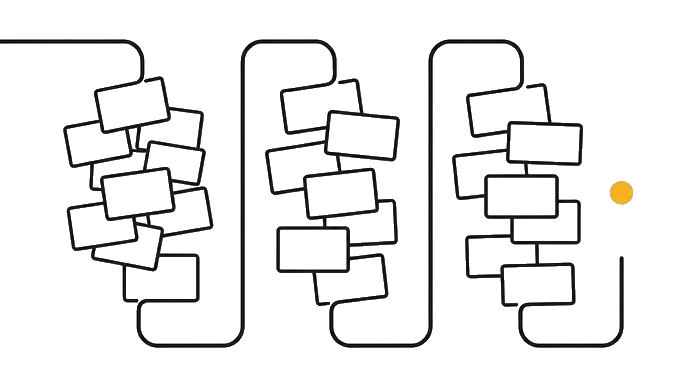

A Project is the same Claude you already use, with a memory bolted on. You write the context once (who the client is, what you deliver, the rules the work must follow), you drop it into the Project's instructions (a text box in the Project's settings where you keep standing rules Claude reads before every chat), and from then on every chat you start inside that Project reads it first.
This is the real step up from the one-off chats you have used so far. You are not just asking better questions anymore. You are building a place that holds the answers, so the asking gets shorter and the output gets steadier.
It is still pure no-code, still claude.ai in your browser, used like a workspace instead of a notepad.
Here is the before and after: Before, serving the client means re-explaining everything at the top of every chat and hoping the work lands the same way twice. After this, the client lives in a Project, and your first message is the actual task ("draft this week's update") because Claude already knows the who, the what, and the standards. The setup that used to eat the first ten minutes of every job now happens once.
- Create a ProjectA workspace named after your client or your service
- Brief it onceAnswer its questions about the client, offer, and standards
- Paste the instructionsDrop the tight block into the Project's settings; Claude reads it before every chat
- Start a fresh chatIt begins already knowing the client, with no re-briefing
Now try it: open Claude, create a new Project named after your client or your service, then paste the prompt below. Claude interviews you about the client, your offer, and your standards, then writes the tight instructions block you paste into the Project's settings. Test it by starting a fresh chat in the Project and asking for a small task with no preamble.
The blank chat got you the client. A Project that remembers them is what lets you keep delivering without starting over each time.
Try it (15 min)
Watch out for
- Building the Project on a vague offer. A Project does not fix a fuzzy offer; it just produces fuzzy work faster and more confidently. If you are not sure exactly what you deliver, sharpen that first (lesson 6), then build the Project around it.
- Stuffing the instructions block with everything you know. Long instructions get read loosely. Keep it tight and high-signal so Claude follows it closely. If a sentence would not change how the work comes out, cut it.
- Forgetting to test in a fresh chat. The whole point is that a new chat in the Project starts warm. Open one, ask for a small task with no preamble, and check that Claude already knows the client. If it does not, the instructions need a fix.
- Treating the Project as set-in-stone. As you learn the client, the standards get sharper. When a draft comes back wrong in the same way twice, add a rule to the instructions so it stops happening, instead of correcting it by hand every time.
- Mixing two clients in one Project. One Project per client (or per service) keeps the context clean. If you pile a second client's rules on top, Claude cannot tell whose standards apply, and both jobs get muddier.
Paste this into Claude
You are helping me set up a Claude Project so I can deliver work for my first client without re-briefing you from scratch every time. The goal is a tight instructions block I can paste into the Project's settings, so every future chat in this Project already knows my client, my offer, and my standards.

Interview me first, one question at a time. Wait for each answer before the next. Keep it short and concrete. Cover:

THE CLIENT
- Who is the client (name or type), and what do they actually do?
- What do they care about most, and what is the problem I am being paid to solve?
- Anything specific about their voice, audience, or context I should always honor?

MY OFFER
- What exactly am I delivering for them (the specific thing, not "help")?
- What does one finished piece of work look like, start to finish?

MY STANDARDS
- What does "good" look like for this work? Be specific.
- What must every deliverable always do, and never do? My hard rules.
- When my work is wrong, what is usually off (tone, length, detail, assumptions)?

When you have enough, write me a single instructions block I can paste into the Project settings. Structure it:

## The client
[Who they are, what they care about, the problem I solve. 2-3 sentences.]

## What I deliver
[The specific offer and what one finished piece looks like. Short.]

## Standards (always / never)
[A short numbered list of hard rules. What good looks like, what to always do, what to never do.]

## How to work with me
[A few rules for how you should behave in this Project: ask before assuming, default to my voice not generic, flag when something is under-briefed.]

Keep the whole block tight and high-signal, under about 1,500 words. A bloated instructions block gets read loosely; a tight one gets followed closely. Cut any sentence that does not change how you would do the work.

Be realistic, not flattering. If my offer or my standards are still vague, say so plainly, because a Project built on a fuzzy offer just produces fuzzy work faster. Name the one biggest gap I should tighten before I rely on this.
What a good response looks like
Good, I have enough to build this. One honest flag first, then the block.

HONEST FLAG: your standards for "good" are still a little vague ("reads well, sounds like the client"). That is the one thing to tighten. Right now I would be guessing at what "sounds like the client" means. Paste me two things the client has actually published, and we will turn "sounds like them" into specific rules. Until then, this Project will be faster than a blank chat but not yet precise.

Here is the instructions block to paste into your Project settings:

## The client
Riverside Dental, a 3-location family practice. They care about a warm, trustworthy tone (nervous patients) and never sounding salesy. The problem I solve: their monthly patient newsletter, which used to eat the office manager's whole week.

## What I deliver
One monthly email newsletter: a short welcome note, one practice update, one simple oral-health tip, and a soft appointment nudge. Around 400 words. Plain, warm, never clinical or pushy. One finished piece = drafted, proofed, and formatted for their email tool.

## Standards (always / never)
1. Always warm and plain. Read it like a friendly front-desk person wrote it, not a marketer.
2. Always one clear, low-pressure call to action. Never a hard sell.
3. Never use fear ("don't lose your teeth"). Never medical jargon without a plain-English version.
4. Always under 450 words. They skim.

## How to work with me
1. Ask before assuming a topic. If I have not given you the month's update, ask for it.
2. Default to the client's warm voice, never generic marketing tone.
3. If a draft needs a fact I do not have (a date, a promo), leave a clearly marked [blank], do not invent it.
4. When I paste a draft, default to light edits, not a full rewrite, unless I ask.

Test this now: start a new chat in this Project and just say "draft this month's newsletter, the update is that we added Saturday hours." If my first reply comes back warm, under 450 words, with one soft CTA and no jargon, the Project is working. If it does not, the instructions need tightening, not your memory.
What good looks like
- You have a Claude Project, named after your client or service, with an instructions block pasted into its settings
- The instructions block covers three things in plain language: who the client is, what you deliver, and the standards every piece of work must hold to
- You opened a fresh chat inside the Project, asked for a small task with no preamble, and Claude's first reply reflected the client and your standards without you mentioning them in that chat
- Claude was honest about any part of your offer or standards that is still vague, instead of polishing a fuzzy brief into confident-sounding instructions
- The instructions block is tight (under about 1,500 words), so Claude follows it closely instead of loosely summarizing a wall of text
When this breaks
- Breaks when you expect the Project to invent standards you have not set, because it can only hold the context you give it, so a blank or aspirational instructions block produces generic work that does not match what you would ship. Write the standards from how you actually work, not how you wish you worked.
- Breaks when you keep re-briefing inside the Project out of habit, because then you are paying the setup cost twice and never feeling the payoff. Trust the instructions: start your chats with the task, and only add context when the task genuinely needs something new.
- Breaks when the instructions block grows into a wall of text, because a long block crowds the context window (the limited amount of text Claude can hold in mind at once) and gets attended to less reliably, so the rules you cared about most get blurred. Keep it tight; a sharp short block beats a bloated complete one.
AI can help with this
Create a Project, paste the prompt, and answer the interview about your client, your offer, and your standards. Claude writes the instructions block; you paste it into the Project settings and test it in a fresh chat. You supply the real details; Claude does the writing and the structuring.
You can now
Open a fresh chat in your Project and ask for a small task with zero preamble.
- Confirm Claude's first reply already reflects your client and at least one standard.
- Keep the instructions tight (under ~1,500 words) so it is followed closely, not loosely.
- If the reply comes back generic, the block never got pasted into the Project settings, so paste it.
Key takeaways
A first client becomes a repeatable business the moment the context stops living in your head and starts living in a Project. Write the client, the offer, and the standards once, and every chat after that starts warm.
- A Claude Project is the same Claude with a memory: it reads your instructions before every chat inside it, so you stop re-briefing the client from scratch each time.
- This is the real step up from one-off chats. You are no longer just asking better questions; you are building a place that holds the answers, which is what makes delivery repeatable.
- Put three things in the instructions: who the client is, what you deliver, and the standards every piece must hold to. That is what turns the setup from a ten-minute chore into a one-time job.
- Keep the instructions tight (under about 1,500 words). A long block crowds the context window, so it gets attended to loosely and your key rules blur; a sharp short block gets followed closely.
- A Project built on a vague offer just produces vague work faster. Sharpen what you actually deliver first, then build the Project around it, and tighten the standards as you learn the client.
Go deeper